Industries/Lawn care
Mowing, fert & squirt

Lawn care software that quotes, schedules and invoices

A mowing route is a hundred small promises a week. Set each one to repeat, put the day on your crew's phone, log every application, and let the invoices and reminders send themselves.

Weekly mowingFertilizationWeed controlAeration & overseedSpring/fall cleanupsIrrigation checks
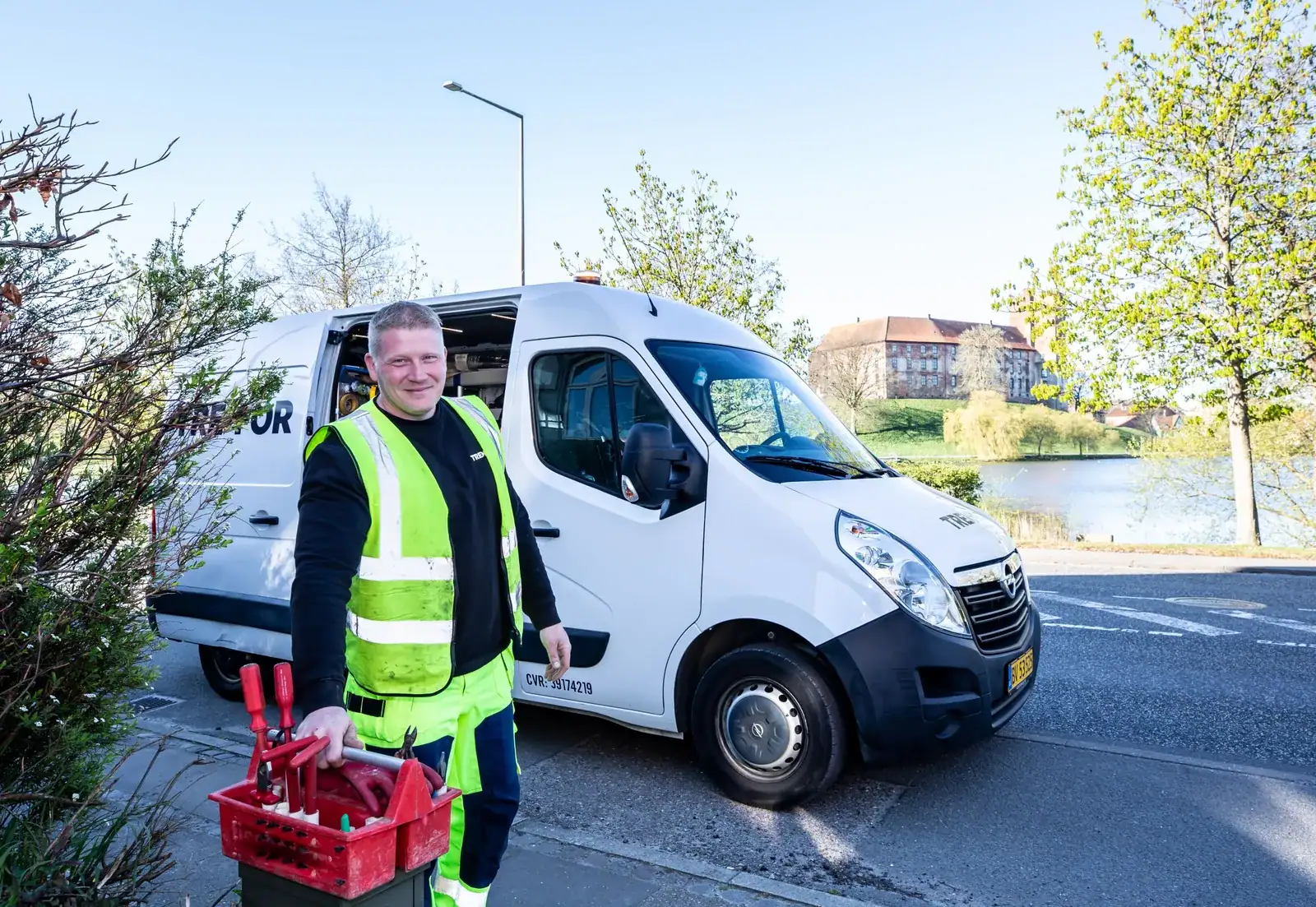
A crew at work
Lawn care
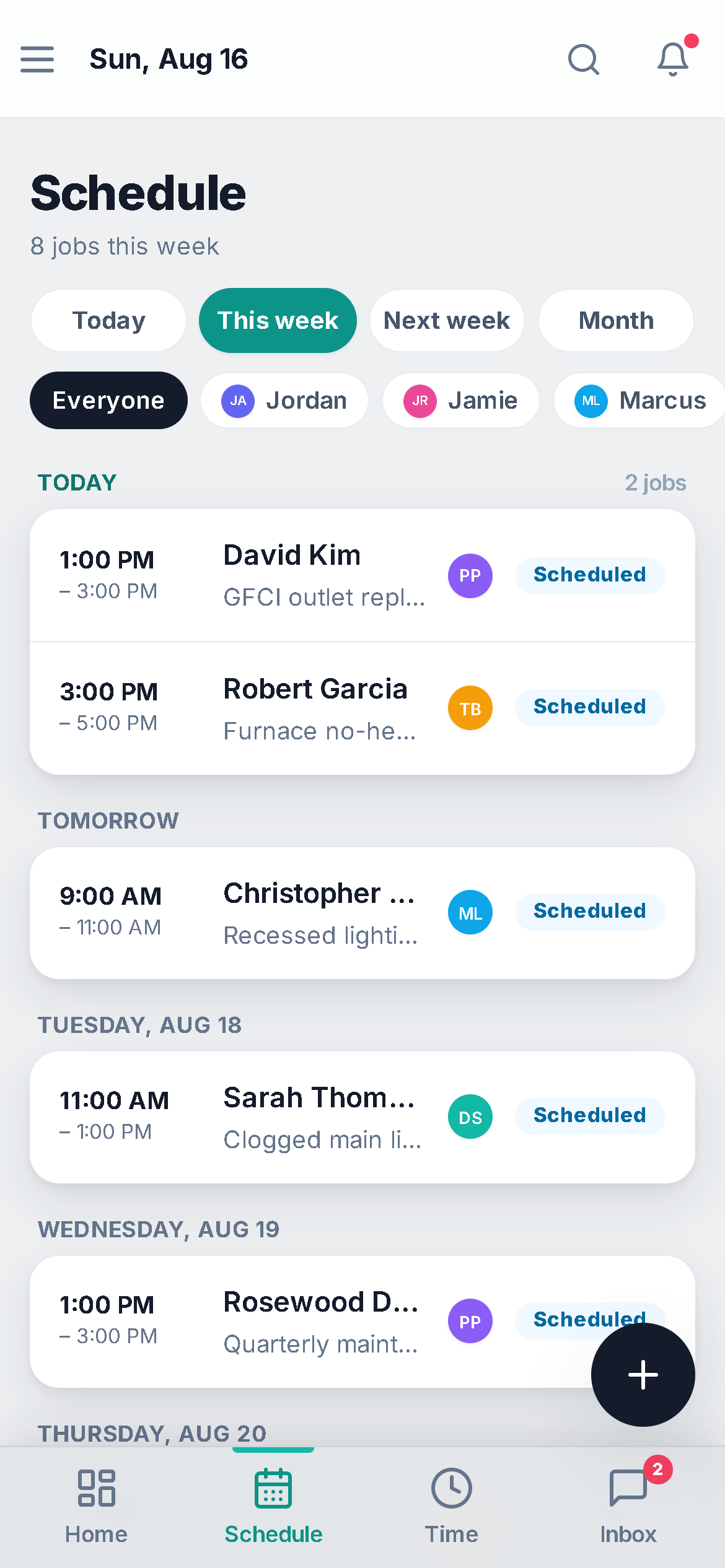
The schedule on a phone: Today, This week, Next week and Month pills, an Everyone-or-one-person crew filter, and the week's jobs grouped by day with time, customer, tech avatar and status
The crew's day, on the phone, installed from the browser.
The day-to-day

Three things that go wrong — and what happens instead

Recurring visits

Two hundred recurring stops, remembered by hand.

Set the job to repeat weekly or every 2 weeks and completing today's visit books the next. The crew sees their day on the phone, taps on-my-way, taps complete, and the customer's hub shows the next visit before they ask.

Chemical logs

The application log lives on a clipboard until the audit.

Define your products once — name, EPA registration number, unit — and log each application on the job: rate, area, target pest, who applied it and the re-entry interval. The record snapshots the product, so a later catalog edit never rewrites what was filed.

Invoicing & reminders

Invoicing is a weekend, and collecting is a month.

A completed job with no invoice nudges the office. Recurring invoices issue themselves on the schedule for the standing accounts; everything gets an online pay link and automatic past-due reminders. Overdue is a list, not a hunt.

Day one

What you can do on day one

Every item is a screen you can open the day you sign in.

  • Import your customer list from a spreadsheet or your old app.
  • Set a job to repeat — weekly, every 2 weeks, monthly, quarterly or seasonal — and it books the next visit when this one is completed.
  • Add your fert and weed products (with EPA numbers) so applications can be logged from the job.
  • Set up a recurring invoice for a repeat customer so it issues itself on the schedule, with the pay link and reminders attached.
  • Turn on invoice reminders for anything past due.
  • Turn on the "ask for a review after payment" automation.
  • Give each crew member a login; they see their stops, you see who is clocked in.

Every stop, every application, every invoice — on the record.

The route on the phone, the log on the job, the payment on file.

Questions

Lawn care FAQ

Does it handle skip weeks and biweekly?

Yes. Repeats are weekly, every 2 weeks, monthly, quarterly or seasonal. Completing a visit books the next; move or skip one from the schedule without touching the rest.

Are the chemical logs good enough for the state?

They record what was applied (product and EPA registration number), the rate and amount, where and the target pest, who applied it, when, and the re-entry interval — the fields a compliance record needs. Each log is a snapshot, so it cannot change after it is filed.

Can crews see only their own stops?

Yes. A crew login sees its assigned jobs for the day, taps on-my-way and complete, and can add photos and notes. Time clock is on every plan; GPS on clock-in is on Pro.

Do you optimize the route?

No — the schedule shows the day in order by crew, but there is no route optimizer today. Jobber has one; we do not, and we would rather say so.

Do you send me leads?

Yes, if you want them. Homeowners post jobs in the Hire-a-Pro marketplace; jobs matched to your trade and service area land in your Requests queue with no per-lead fee. Local leads are included on the Business plan, or you can add the Local Leads module to Starter or Pro for $49/mo.

Which plan do I need?

Starter covers the CRM, scheduling and calendar, quotes and invoices, the customer email inbox, the time clock, free CRM import and the mobile app. Pro adds the client portal, e-sign approvals, the dispatch board, GPS time clock, marketing automation, reviews, job costing, payment plans and the website builder. Business adds accounting with bank feeds, sales tax, payroll, the sales pipeline, the ads manager and local leads. Prices are on the pricing page.

Does it work on a phone in the field?

Yes. It runs full-size in any browser on your computer, and on a phone it installs to the home screen straight from the browser. Same account, same data, whichever you pick up.

Can I bring my customers and quotes with me?

Yes. Import clients, quotes and inventory from spreadsheets or the app you are leaving. It is included on every plan, and your data stays exportable afterwards.
Ready to stop re-booking the same lawns every week?

Set it once. It repeats. It bills.

Book a demo