Repair, replace, maintain

HVAC software that quotes, schedules and invoices

July does not care that you had a plan. Put the day's calls on the dispatch board, offer the replacement as three options on one link, and keep the maintenance agreements renewing on their own.

AC repairFurnace replacementHeat pumpsTune-upsDuctworkMaintenance agreements
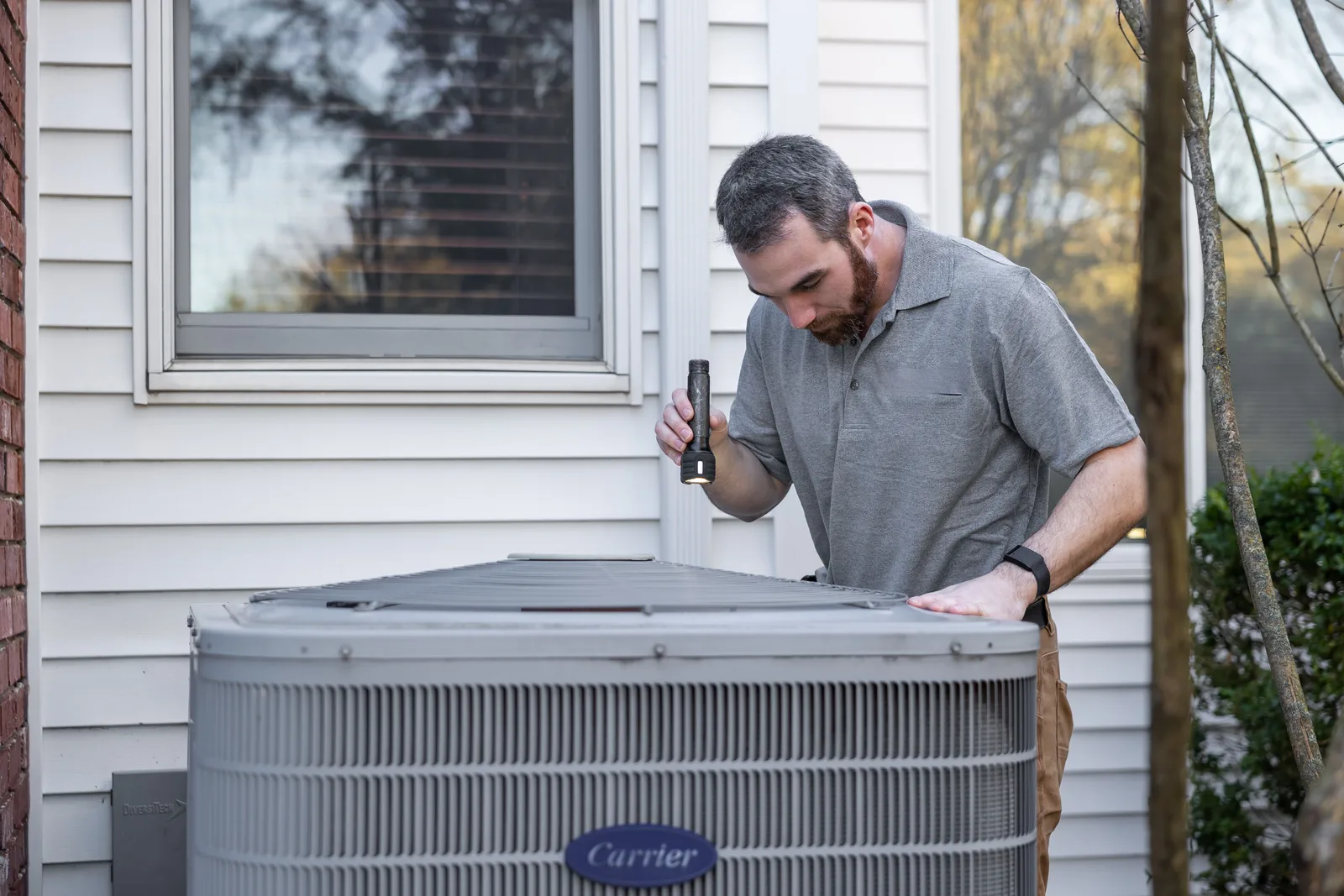
An HVAC technician inspecting an outdoor condenser unit at a house
HVAC
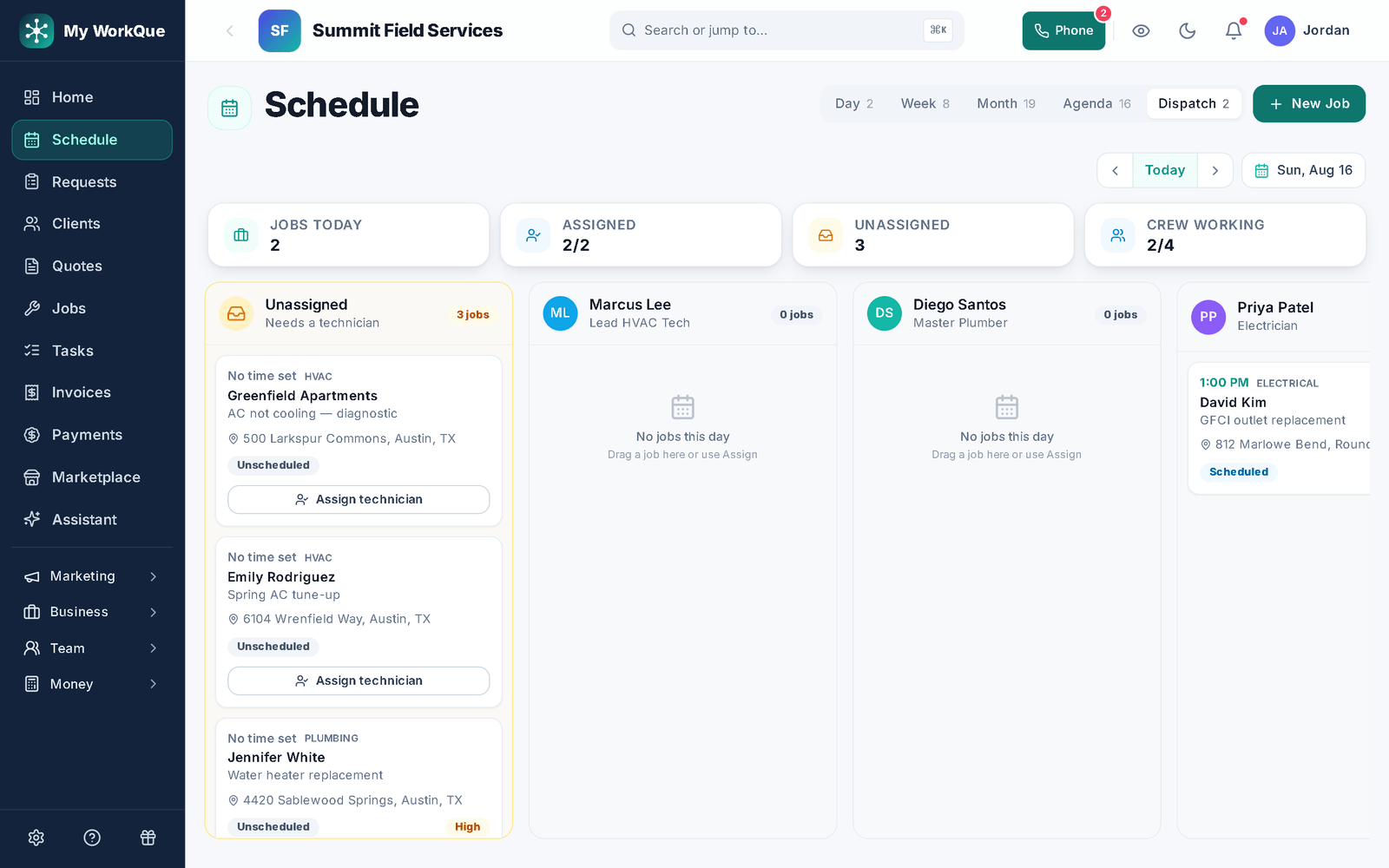
The dispatch board for one day: technicians as columns, jobs as cards, an unscheduled queue on the side
One day, every tech, and the unscheduled queue — drag to assign.
The day-to-day

Three things that go wrong — and what happens instead

Dispatch board

Twenty no-cool calls and one person deciding who goes where.

The dispatch board shows one day, every tech, and the unscheduled queue. Drag a call onto the tech, and the customer gets the arrival window by text. Booking requests and lead-board jobs arrive in the same queue instead of the voicemail.

Comparison packets

The replacement quote is one number, and it dies at the kitchen table.

Build the tiers once as templates, combine them into a Good / Better / Best packet, and use it per customer — one link, cover page, photos, prices, deposits. They pick and sign online. The chosen quote becomes the job.

Memberships & recurring

The maintenance agreements are a spreadsheet nobody renews.

Memberships are recurring plans per customer with a price and interval; the list shows what is active, what renews next and the monthly recurring revenue. Set the tune-up job to repeat and completing spring books fall.

Day one

What you can do on day one

Every item is a screen you can open the day you sign in.

  • Import your customer list from a spreadsheet or your old app.
  • Build Good / Better / Best replacement templates and save them as a packet.
  • Open the dispatch board and drag today's unscheduled jobs onto the right tech.
  • Send your first on-my-way text with an arrival window from the job.
  • Set a job to repeat — weekly, every 2 weeks, monthly, quarterly or seasonal — and it books the next visit when this one is completed.
  • Send an invoice and take a card payment online from the link — bank transfer, check and cash are recorded when they arrive.
  • Turn on the "ask for a review after payment" automation.

From the no-cool call to the signed replacement.

Dispatch it, quote it three ways, sign it, invoice it, renew the agreement — one record.

Questions

HVAC FAQ

Can I run maintenance agreements in it?

Yes. Set up a membership plan per customer with its price and interval; renewals due and monthly recurring revenue are on the Memberships screen. Schedule the visits as repeating jobs.

Can the tech quote and invoice from the driveway?

Yes. The phone shows the tech their jobs; they can build the quote from templates, send it, and once the work is done convert it to an invoice with an online pay link, all from the job.

Do you track equipment warranties?

Warranties are logged on the job with a term; active, expiring and expired sit on their own list. There is no separate equipment record with model and serial today — put those on the job or the customer's notes.

Can I keep parts on the trucks?

Yes. Inventory tracks stock by location — the shop and each truck — and the scan screen receives, transfers and checks parts out from a phone, with a record of who moved what.

Do you send me leads?

Yes, if you want them. Homeowners post jobs in the Hire-a-Pro marketplace; jobs matched to your trade and service area land in your Requests queue with no per-lead fee. Local leads are included on the Business plan, or you can add the Local Leads module to Starter or Pro for $49/mo.

Which plan do I need?

Starter covers the CRM, scheduling and calendar, quotes and invoices, the customer email inbox, the time clock, free CRM import and the mobile app. Pro adds the client portal, e-sign approvals, the dispatch board, GPS time clock, marketing automation, reviews, job costing, payment plans and the website builder. Business adds accounting with bank feeds, sales tax, payroll, the sales pipeline, the ads manager and local leads. Prices are on the pricing page.

Does it work on a phone in the field?

Yes. It runs full-size in any browser on your computer, and on a phone it installs to the home screen straight from the browser. Same account, same data, whichever you pick up.

Can I bring my customers and quotes with me?

Yes. Import clients, quotes and inventory from spreadsheets or the app you are leaving. It is included on every plan, and your data stays exportable afterwards.
Ready for a July that runs off one board?

The right tech, the right options, the invoice on the spot.

Book a demo