Get paid from the quote, the invoice,
or the doorstep.
Cards run on Stripe through your own Stripe account — a deposit on the quote, the balance on the invoice, a scan-to-pay code at the door — and every cash, check, Zelle or Venmo payment is recorded honestly next to them.
Payments and payment plans are on every plan — see pricing.
Money in, without the chasing
- 01
Your Stripe account, your money
Connect Stripe from Settings and you authorise My WorkQue from Stripe's own onboarding — we store only your account id, never a key. Charges settle to your Stripe account, so payouts, disputes, the dashboard and the 1099-K are yours in Stripe; nothing sits in ours. Until Stripe is connected the card button simply isn't shown to customers, rather than shown and broken.
In the appConnect StripeStripe is connected — customers can pay invoices online by card.
- 02
Cards on Stripe's page, not ours
When a customer taps Pay by card they finish on Stripe's hosted checkout — no card number ever touches My WorkQue. The webhook is what marks the invoice paid, and it can't credit the same payment twice on a retry. Below Stripe's minimum charge the page says so in plain words instead of failing.
In the appPay by cardYou'll finish on Stripe's secure payment page.
- 03
A deposit on the quote, before the truck rolls
Require a deposit on a quote — a percent (50% by default, yours to change) or a fixed amount. The customer sees it before approving, and after they sign they're taken straight to pay it. It carries onto the job (Deposit collected) and onto the invoice, credited, so nobody asks twice.
In the appAlways require a deposit on new quotesDeposit collected
- 04
Every method, recorded honestly
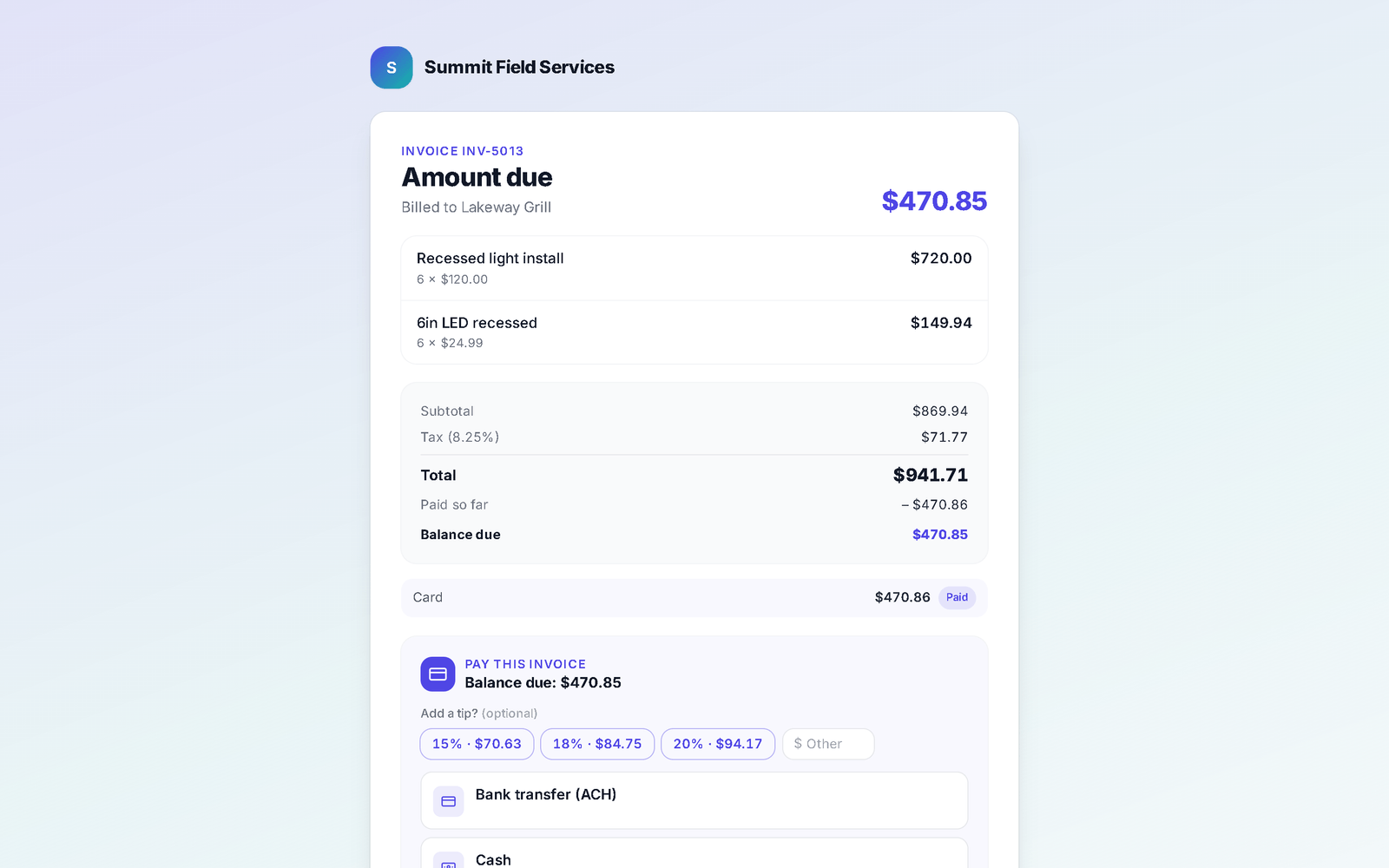
Alongside card: Bank transfer (ACH), Cash, Check, Venmo and Zelle, each with your own instructions or handle. For those the customer taps "Let them know I'll pay by …" — it lands as pending and nothing is marked paid until you confirm it arrived. Pass a card processing fee through if you choose (the customer must tick that they agree to it), and let them add a tip.
In the appBank transfer (ACH)Card processing feeTips
- 05
Plans, partials, and one link for several invoices
Offer payment plans: a set number of payments, weekly, every two weeks or monthly, with an optional fee and a signed agreement if you require one; the customer reviews the schedule before paying the first installment. Allow partial payments per customer. Select several invoices for one customer and Combine into pay link — one balance, pay all or one at a time, recorded per invoice underneath.
In the appPayment plans you offerCombine into pay link
Where this differs from Jobber
Only the rows where there's a real difference — including the ones Jobber wins. The full table is on the comparison page.
| Feature | My WorkQue | Jobber |
|---|---|---|
| Bookkeeping built in, with payroll calculations (not filing or direct deposit) | ✓ | — (QuickBooks sync) |
| Client hub with e-sign & part-payments | ✓ | ✓ |
| Consumer financing offered inside the quote | — | ✓ via Wisetack |
Based on each vendor's public feature and pricing pages plus a hands-on walk of a live Jobber account, August 2026. Plans change — verify with each vendor.
Fair questions
Who processes the cards, and what does it cost?
Stripe, on your own Stripe account — Stripe's standard card rates and payout schedule apply, and you see every charge in your Stripe dashboard. My WorkQue keeps a platform fee of 0.1% of each card payment taken through the app — 30 cents on a $300 payment. It is shown on the payment and in your books, it comes out of the payment on its way to you, it adds nothing to what your customer pays, and it is not refunded if you later refund the payment. My WorkQue's plans are on the pricing page.
Can customers pay by bank transfer online?
Not as an online debit yet. You can offer Bank transfer (ACH) with your instructions; the customer tells you they'll pay that way and it sits as pending until you confirm it. Only card has a real charging path today, and the customer page says so.
Do you support tap to pay on a phone?
No. In person, open the invoice and Show QR code (scan to pay) — the customer scans it and pays by card on their own phone, on Stripe's page.
Where does the money show up in the app?
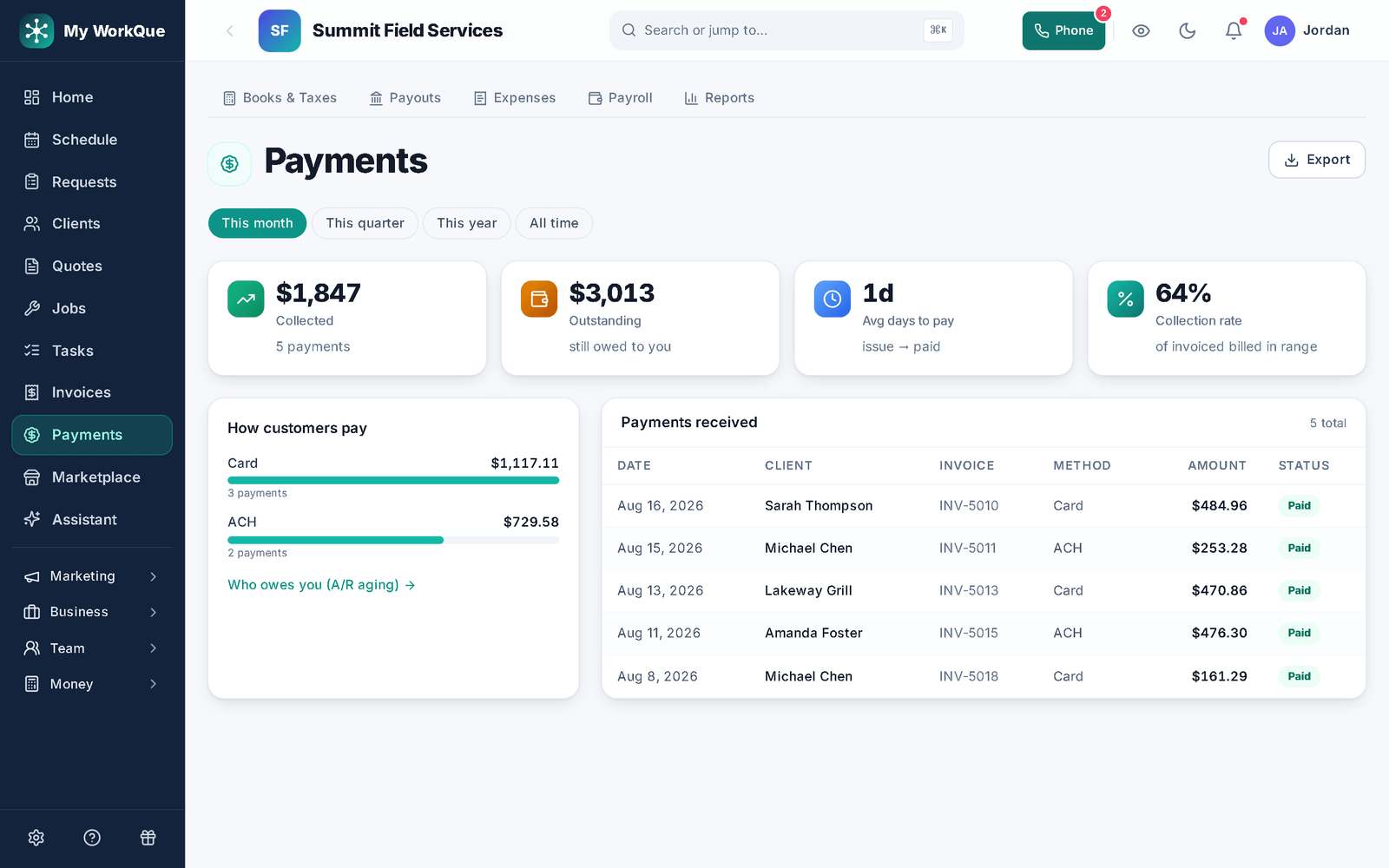
On the invoice (balance, status), on Payments (collected, outstanding, average days to pay, collection rate, by method, and the ledger), and in the books — accounting is included on the Business plan.
It all runs on the same records
A quote becomes the job, the job becomes the invoice, the payment lands in the books — no re-typing between apps.
Quotes
Templates, optional lines, e-sign and deposits.
See how it works →Scheduling & Dispatch
Calendar views, a drag-to-assign dispatch board, on-my-way texts, GPS time clock.
See how it works →Invoicing
Job to invoice in one click, deposits carried, past-due split out, reminders.
See how it works →Client Hub
Where your customers approve, sign, pay, prep, and refer a friend.
See how it works →Comparisons
Good / better / best in one link the customer compares and chooses from.
See how it works →Automations
Follow-ups and reminders that run themselves — by their real names.
See how it works →Mobile
The whole app on the phone — installed straight from the browser.
See how it works →
Deposit today. Balance on the day. Nothing chased for weeks.
Start your 14-day free trial.