Every job on the board.
Every tech where they should be.
Day, week, month and agenda views, a dispatch board you drag jobs onto, on-my-way texts with a live ETA link the customer can watch, and a time clock that matches GPS to the job.
Scheduling and the GPS time clock are on every plan. The dispatch board and live arrival tracking (the on-my-way link) start on Pro — see pricing.
From the office to the driveway
- 01
Five ways to look at the same week
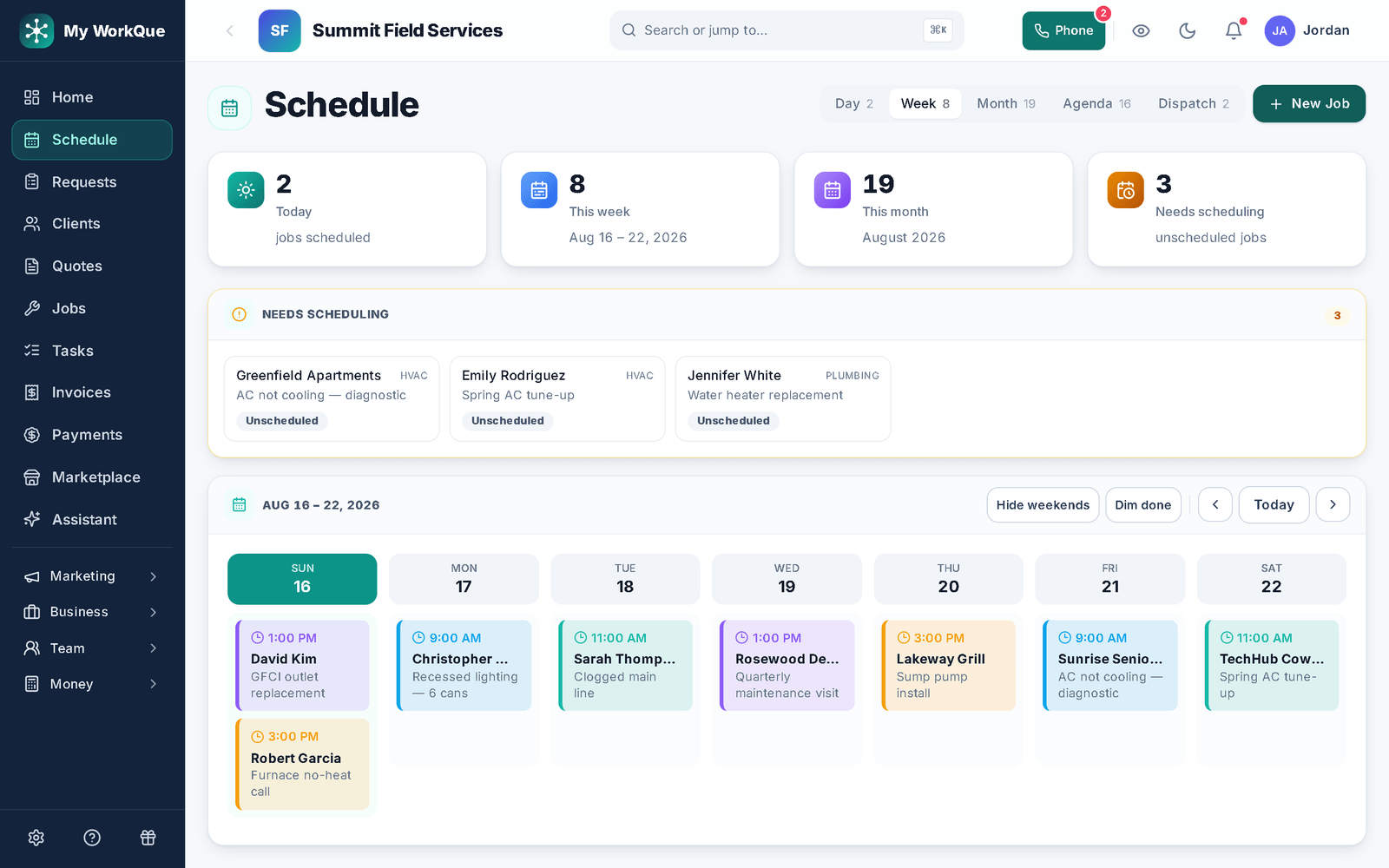
Day, Week, Month, Agenda and Dispatch — one switch, same jobs. Every person picks their own default view; technicians land on their agenda. Crew colors, weekends on or off, finished jobs dimmed, and a Needs scheduling strip that holds every job without a date so nothing falls off the calendar by not being on it.
In the appDayWeekMonthAgendaDispatchNeeds scheduling
- 02
Drag a job onto a tech
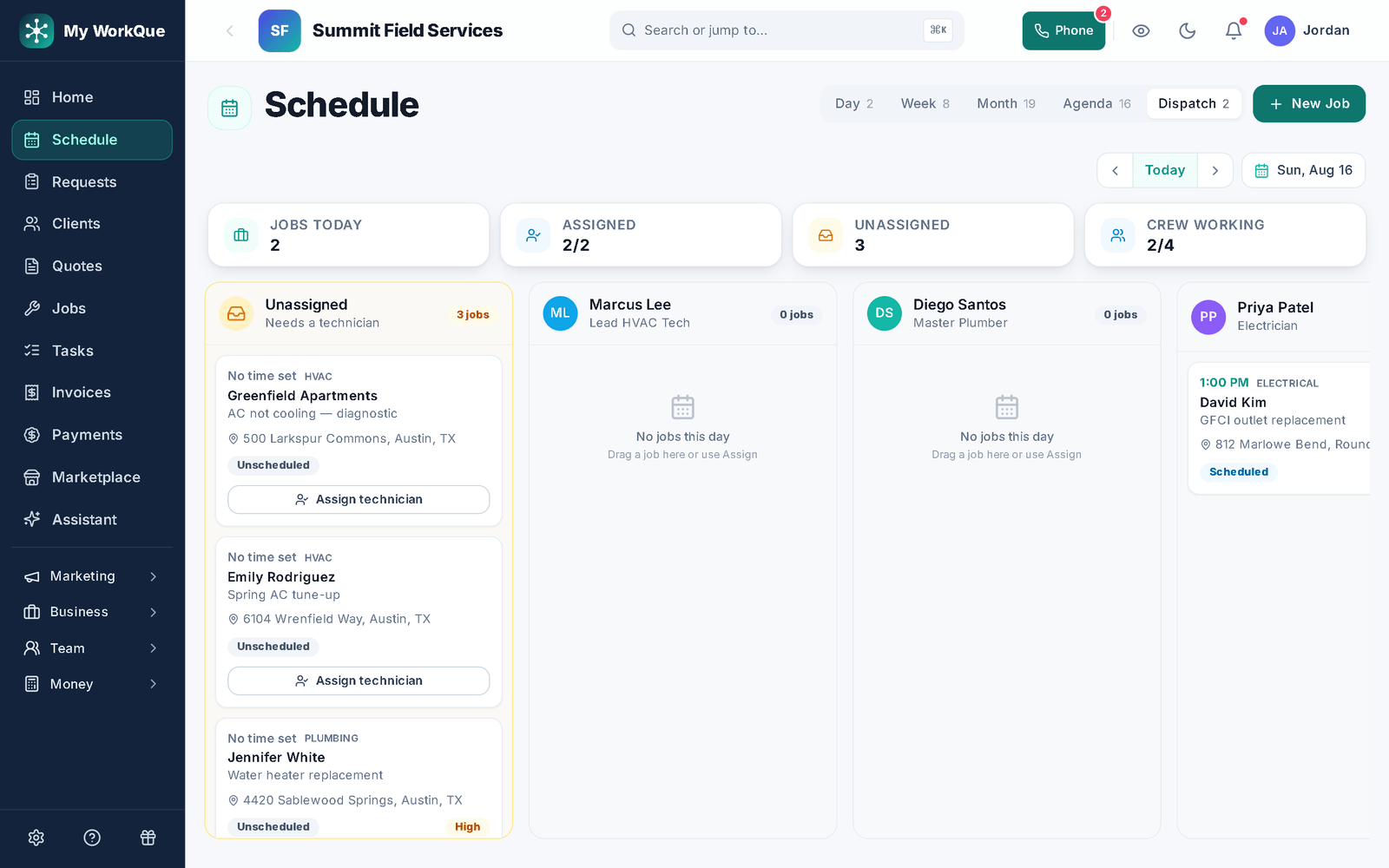
The dispatch board is one day: a column per technician plus Unassigned. Drag a job across to assign or reassign it. Drop an unscheduled job on a tech and it's scheduled for that day at your default start — the office adjusts the time from there. Four chips keep the day honest: Jobs today, Assigned, Unassigned, Crew working.
In the appUnassignedJobs todayAssignedCrew working
- 03
On my way — with a link they can watch
From the job, the tech taps On my way and picks an ETA. The customer gets a text with a tracking link that counts down and flips to Arrived. Before the visit, the Upcoming job / appointment rule texts and emails the customer their arrival window and notifies the assigned tech — you choose the window (15 minutes to 4 hours) and how far ahead it goes out.
In the appOn my wayUpcoming job / appointmentRemind ahead byArrival-window message
- 04
Clock in at the job, matched by GPS
Clock in and GPS matches you to the job you're scheduled for. While you're on the clock it snapshots your position (every 15 minutes by default, and you set the geofence) so the timesheet carries a trail; time at a job's location counts as that job's labor, time in between as travel. Standing at a scheduled job while off the clock? The app offers to clock you in.
In the appClock inTrack GPS while on the clockGPS trail
- 05
Repeats, day sheets, time off
Set a job to repeat weekly, every 2 weeks, monthly, quarterly or seasonal. Print the day as one sheet the crew can carry — every job with its time, address and notes. Time-off requests with approval, company blackout dates and shift scheduling live in the Time Clock, so the calendar knows who's actually available.
In the appPrint day sheetWeeklyEvery 2 weeksSeasonal
The same schedule in the truck
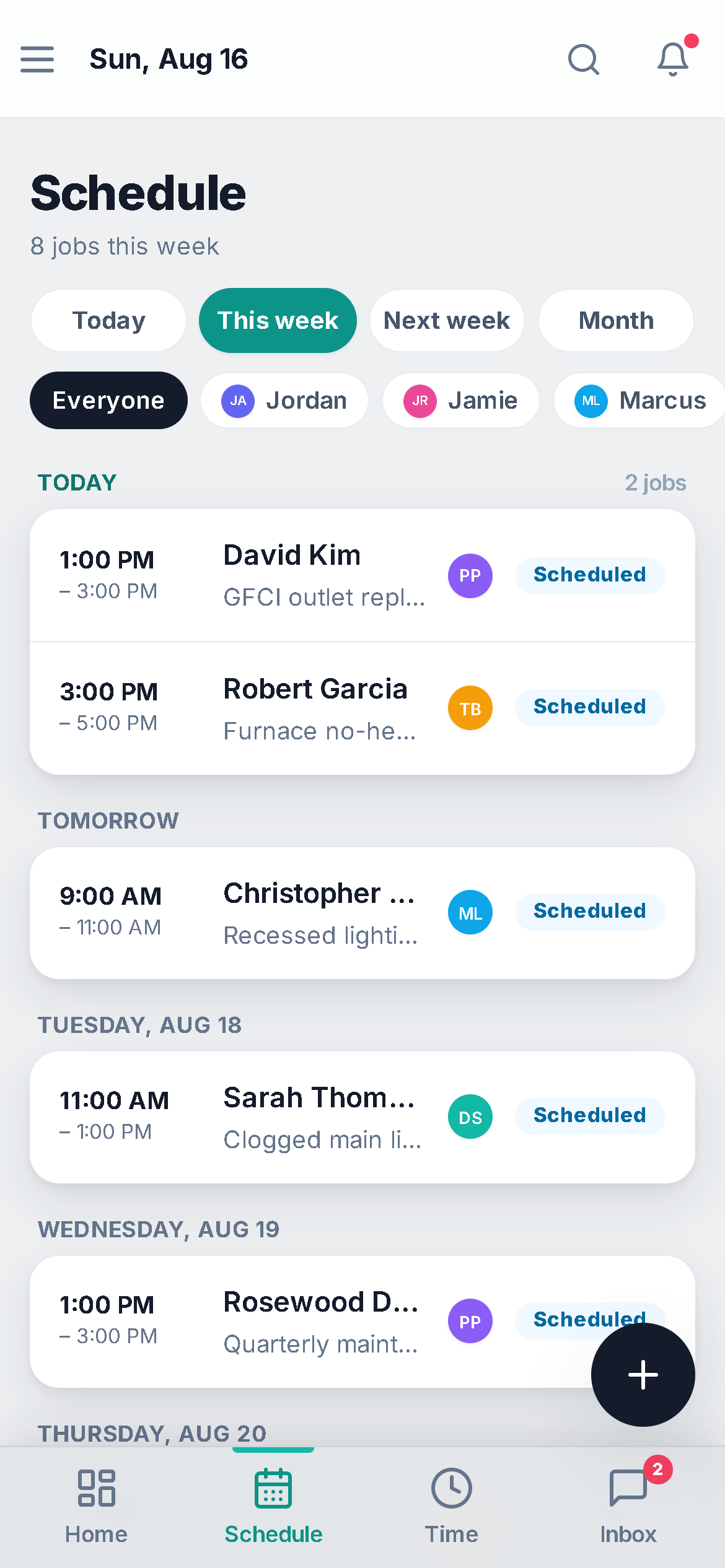
The schedule on the phone is the week grouped by day, filtered to one person or everyone — a tech taps into a job for the address and notes, On my way from the job, clock in when they arrive. No second app, no re-syncing.
- Agenda first — a technician's own default is their list, in time order.
- Photo prompts — the Job-site photo prompts rule asks the crew for before-and-after pictures, each landing as a note on the job.
- Installs from the browser — see mobile.
Where this differs from Jobber
Only the rows where there's a real difference — including the ones Jobber wins. The full table is on the comparison page.
| Feature | My WorkQue | Jobber |
|---|---|---|
| Scheduling, quotes, invoicing, client hub | ✓ | ✓ |
| Route optimization for the day's visits | — | ✓ |
| Business phone line (the line your on-my-way texts go out on) — texts & call forwarding on Pro, in-app calling & call flows on Business | ✓ included | Add-on |
Based on each vendor's public feature and pricing pages plus a hands-on walk of a live Jobber account, August 2026. Plans change — verify with each vendor.
Fair questions
Do you optimise routes?
Not yet — Jobber does, and we say so on the comparison page. What we do have today is the GPS trail on every shift and the automatic split between time at a job and time driving between jobs.
Can technicians see only their own jobs?
Yes. A technician's schedule opens on their own agenda — their assignments, in order — and the same view is what they see on their phone. Office roles see everyone.
Where do on-my-way texts come from?
Your business number — the same line the Inbox uses for texts (and, on Business, in-app calls; Pro forwards calls to your own line), so the customer's reply lands on their thread, not on a tech's personal phone. See pricing for which plans carry the phone line.
What does the customer get before a visit?
The Upcoming job / appointment reminder — a text and an email with the date and arrival window — and, if you use prep checklists, a Prep checklist nudge if their list still has unchecked items. See automations.
It all runs on the same records
A quote becomes the job, the job becomes the invoice, the payment lands in the books — no re-typing between apps.
Quotes
Templates, optional lines, e-sign and deposits.
See how it works →Invoicing
Job to invoice in one click, deposits carried, past-due split out, reminders.
See how it works →Payments
Cards on Stripe through your own account, deposits, plans, every method recorded.
See how it works →Client Hub
Where your customers approve, sign, pay, prep, and refer a friend.
See how it works →Comparisons
Good / better / best in one link the customer compares and chooses from.
See how it works →Automations
Follow-ups and reminders that run themselves — by their real names.
See how it works →Mobile
The whole app on the phone — installed straight from the browser.
See how it works →
Put the whole crew on one board.
Start your 14-day free trial.