Quotes that get approved, signed and paid
from one link.
Start from a template, add optional lines, then send a link where they approve, sign, and pay the deposit — with follow-ups that go out on their own.
Quotes and deposits are on every plan. E-sign approvals start on Pro — see pricing.
From blank page to signed in five moves
- 01
Start from a template
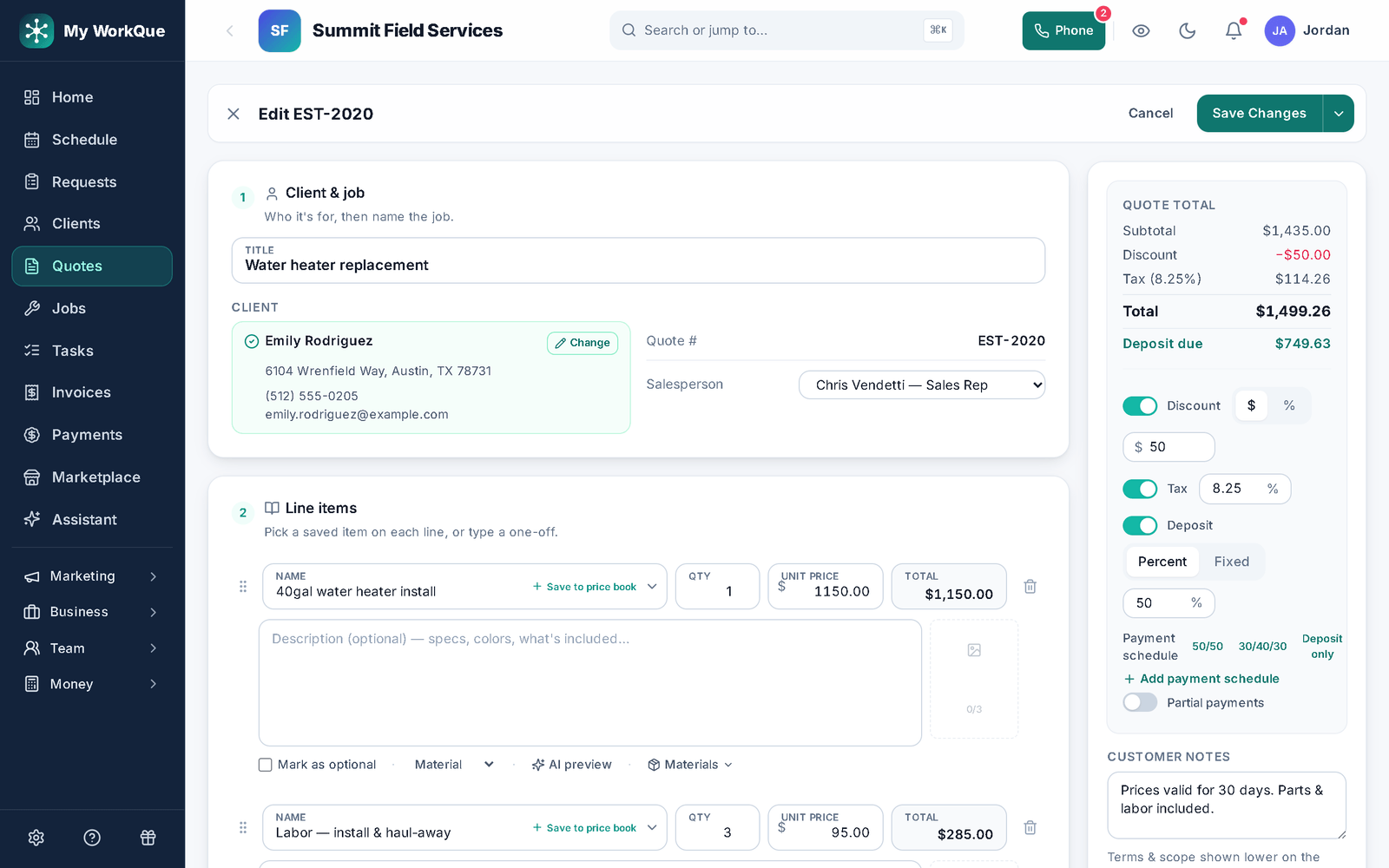
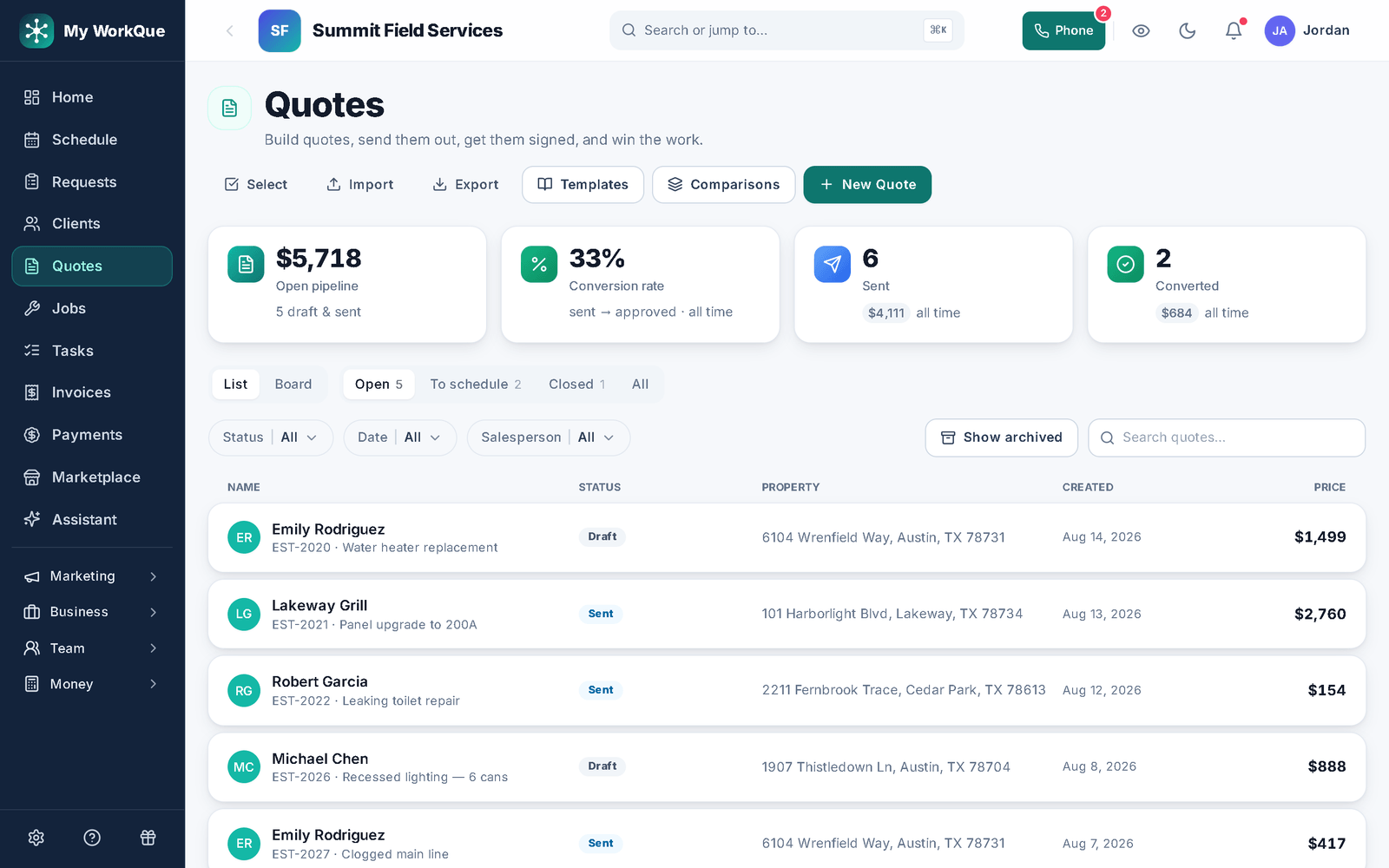
Templates save the quotes you build over and over — line items with their materials, a header photo, a gallery, the client message and notes. New Quote asks whether to start blank or from one of yours, and any finished quote can be saved back as a template. Templates and the quote editor share the same fields, so a template is just a pre-filled quote.
In the appNew QuoteOr start from a templateSave as template
- 02
Show the real thing on every line
Attach photos to a line — your product, past work, materials — so the customer sees exactly what they're paying for before they approve, not just a description.
In the appAdd a photoLine item photos
- 03
Optional lines, change requests, declines
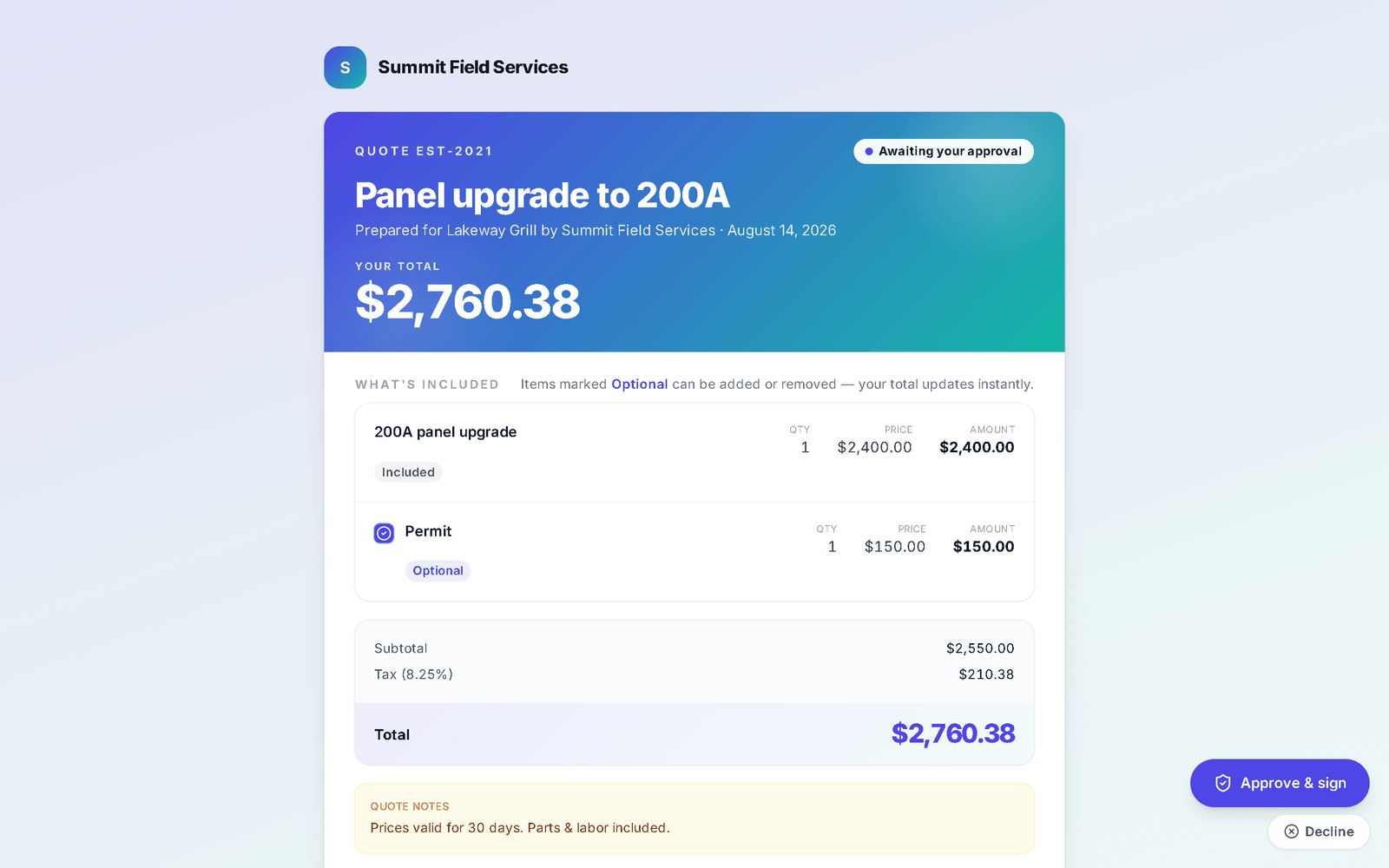
Mark a line Optional and the customer ticks it on or off on their quote; the total is recomputed on the server, not in their browser. When you allow it, they can message you for changes from the quote itself, or decline with a reason — either way the answer lands on the quote in your list.
In the appMark as optionalHave questions or want changes? Message usDecline
- 04
Approve, sign, deposit — one page
The customer's link carries your master agreement. They approve and sign (typed or drawn), and if the quote requires a deposit — a percent or a fixed amount, shown before they approve — they're taken straight to pay it by card on Stripe's hosted page. Print or save as PDF is on the same page. Editing an approved quote clears the approval and signature and the app warns you first.
In the appApprove & signPrint or save as PDFAwaiting your approval
- 05
Follow-ups that run themselves
Three named rules in Reminders chase the quote so nobody has to remember: Quote follow-up nudges the customer a few days after a quote goes out unanswered, Second quote follow-up fires a week after the first if there's still no answer, and Quote past due nudges the customer and flags the rep when a quote that carries an expiry date passes it (new quotes are stamped with when they were sent rather than expiring, so the two follow-ups do the work). The follow-ups fire once each — no daily nagging — the wording is yours to edit in Settings → Emails & Texts, and archived quotes are left alone. You can also see the day the customer first opened it.
In the appQuote follow-upSecond quote follow-upQuote past dueViewed
Where this differs from Jobber
Only the rows where there's a real difference — including the ones Jobber wins. The full table is on the comparison page.
| Feature | My WorkQue | Jobber |
|---|---|---|
| Group multiple quotes into one comparison link | ✓ with photos & deposits | — (optional line items only) |
| Consumer financing offered inside the quote | — | ✓ via Wisetack |
Based on each vendor's public feature and pricing pages plus a hands-on walk of a live Jobber account, August 2026. Plans change — verify with each vendor.
Fair questions
Can customers sign on their phone?
Yes. The quote link works on any phone; they type or draw a signature and approve in the same step. The signed agreement — exactly as it was at signing — is kept as a PDF in their client hub.
What happens to the deposit when the quote becomes a job and an invoice?
It carries forward. The job shows Deposit collected with the amount and date, and the invoice is created with the deposit already credited, so nobody is asked for it twice. A deposit the customer said they'd pay by check rides along as pending until you confirm it arrived. See invoicing.
Can I see the quote the way the customer sees it?
Yes — Preview the customer view opens the exact page they'll get, with the approve, sign and pay controls switched off so nothing can be submitted from a preview.
What if I need good / better / best?
That's a comparison: several quotes grouped into one link the customer compares side by side, with photos and each option's deposit, and chooses from online.
It all runs on the same records
A quote becomes the job, the job becomes the invoice, the payment lands in the books — no re-typing between apps.
Scheduling & Dispatch
Calendar views, a drag-to-assign dispatch board, on-my-way texts, GPS time clock.
See how it works →Invoicing
Job to invoice in one click, deposits carried, past-due split out, reminders.
See how it works →Payments
Cards on Stripe through your own account, deposits, plans, every method recorded.
See how it works →Client Hub
Where your customers approve, sign, pay, prep, and refer a friend.
See how it works →Comparisons
Good / better / best in one link the customer compares and chooses from.
See how it works →Automations
Follow-ups and reminders that run themselves — by their real names.
See how it works →Mobile
The whole app on the phone — installed straight from the browser.
See how it works →
Send a quote they can say yes to tonight.
Start your 14-day free trial.