Run the whole business.
Prove every dollar.
Scheduling, quotes, invoicing, payments, inventory, payroll and marketing — with automations that book, remind and follow up — while you're in the field.
- 14-day free trial
- Full app in any browser · installs to your phone


The job never leaves the system.
A request becomes the quote, the quote becomes the job, the job becomes the invoice — same lines, same discount, same customer. Nothing is re-typed into a second app.
Real screens. Every part of the job.
Captures of the app as it ships — not mockups. Some of what is shown is on Pro and Business; the pricing page says which.
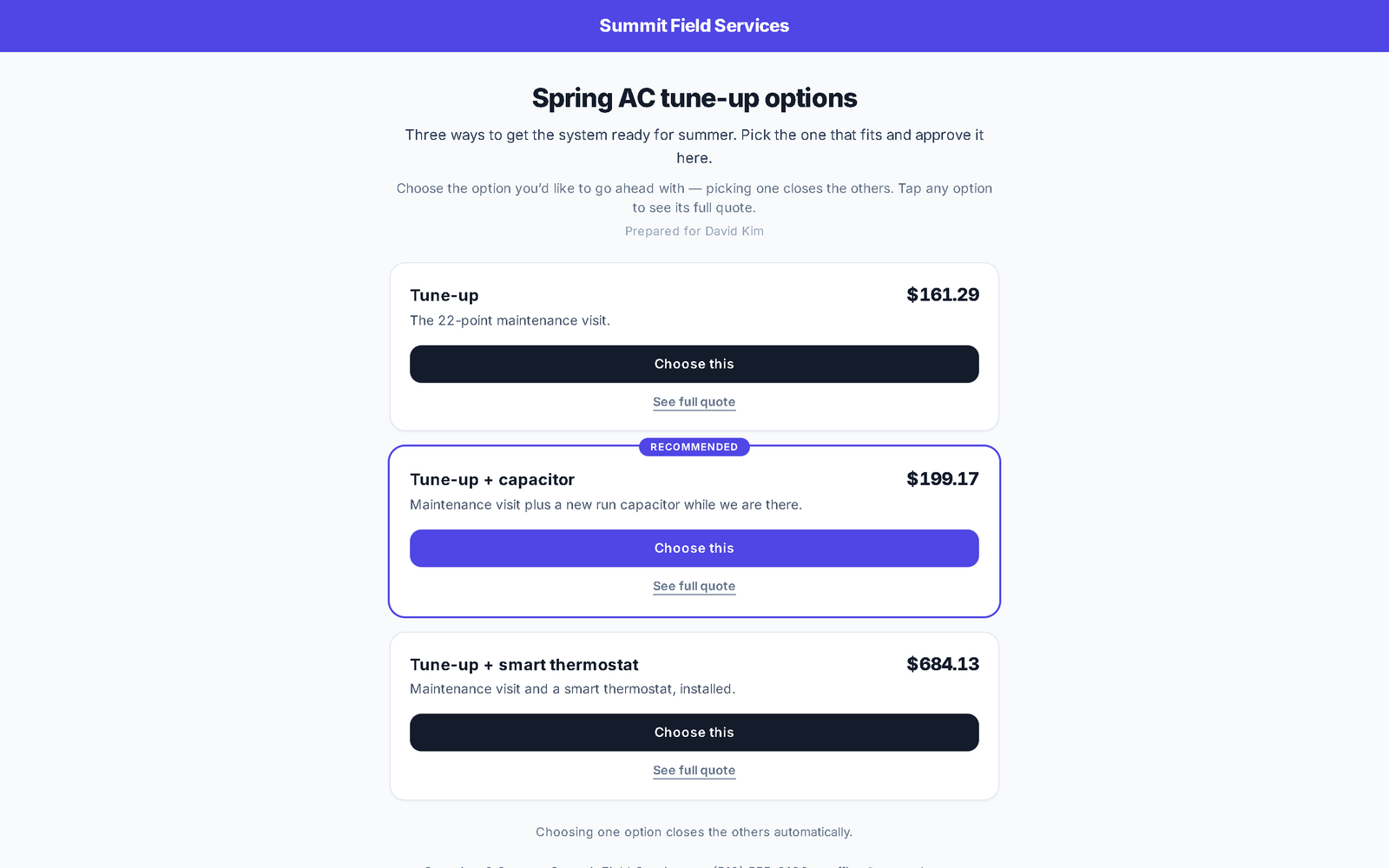
Send three options, not one price.
Build the quote with photos on the lines, mark extras optional, take a deposit on approval and get it e-signed. Or group two or three quotes into one link the customer compares and picks from — good, better, best.
- Line-item photos, optional lines, and a deposit collected on approval
- E-sign on the customer’s phone; you see when the quote is opened
- Good-better-best comparison link with photos, prices and deposits
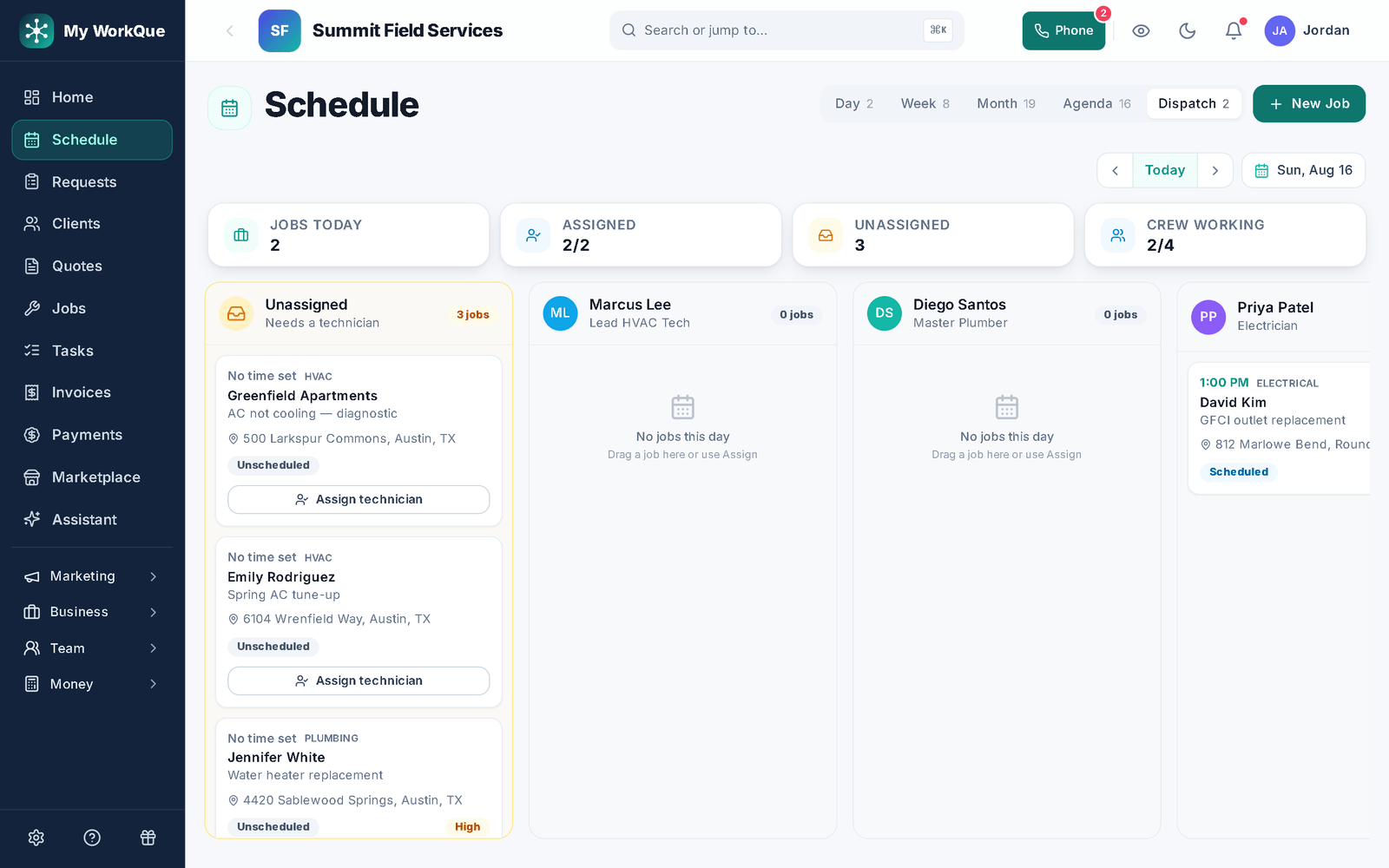
Drag it onto the day. The crew’s phone updates.
Unscheduled work waits in a queue beside the calendar. Drop it on a tech and it is on their phone — address, notes and an on-my-way text ready to send.
- Day, week, month and agenda views, and a dispatch board you drag jobs onto by technician
- On-my-way texts to the customer in one tap
- Recurring visits and a GPS time clock
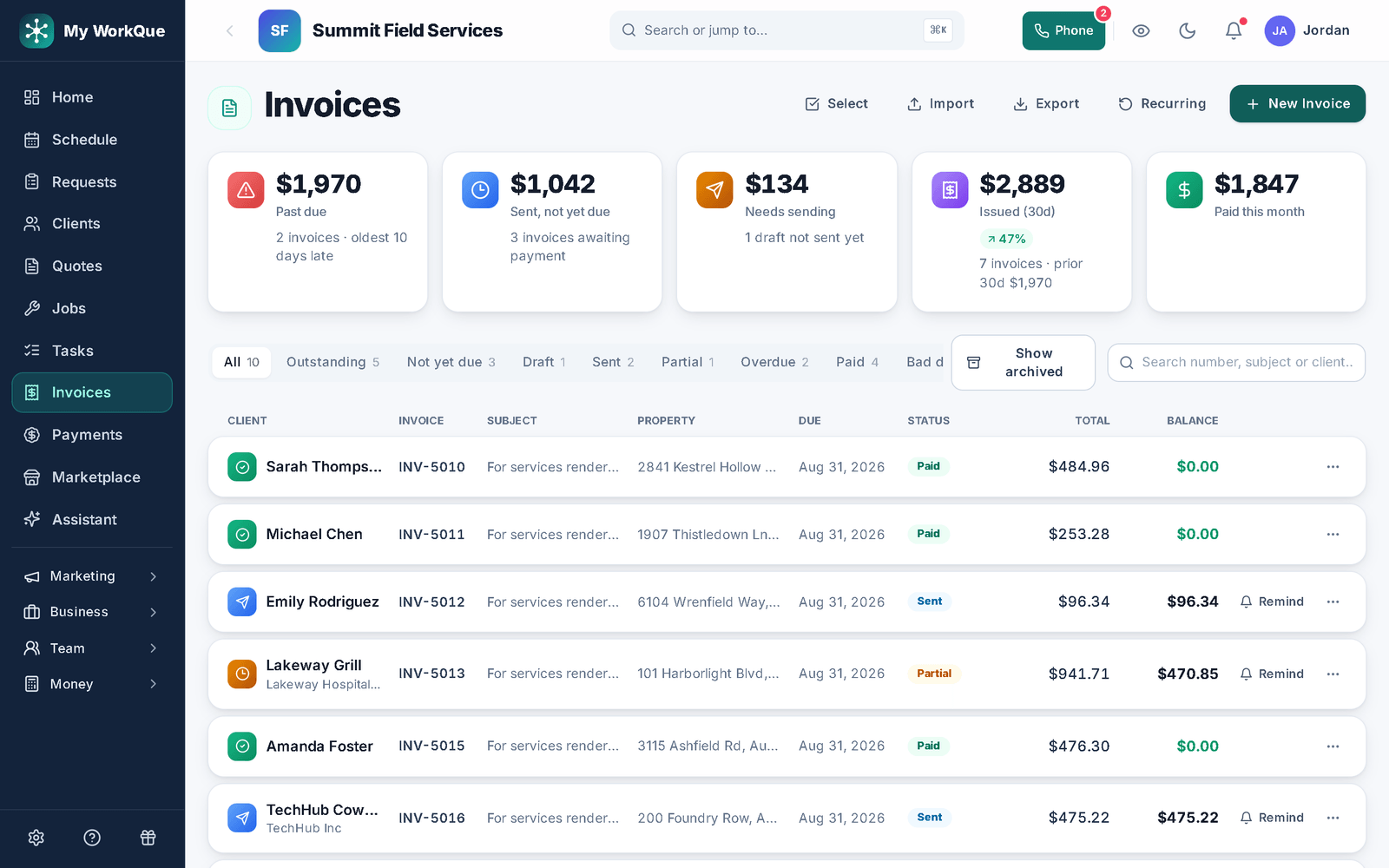
Invoice from the job. Get paid online.
The invoice is made from the job — same lines, same discount, no re-typing. The customer pays by card from the link on Stripe's page — bank transfer, check and cash are recorded when they arrive; deposits and part-payments are applied automatically; overdue reminders go out on their own.
- Card online on Stripe, with deposits and part-payments applied; bank transfer, check and cash recorded
- Payment plans the customer agrees to on the invoice
- Recurring invoices for service plans and retainers
- Overdue reminders that stop the moment it is paid
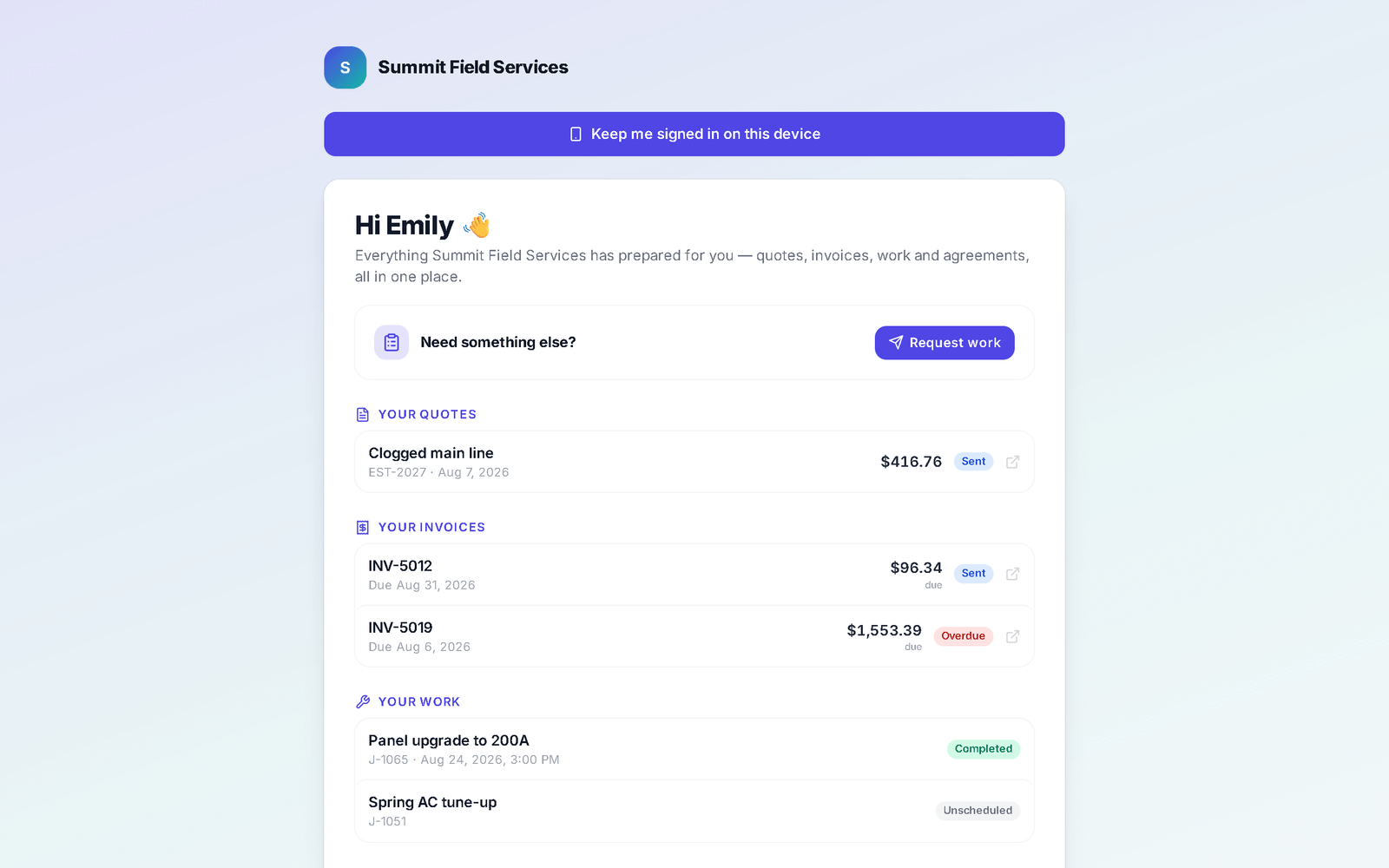
Your customers get their own branded page.
Every customer gets a hub with your logo and colors: their quotes, invoices, jobs and signed agreements, a pay button, a way to request the next visit and a referral link. It installs to their phone straight from the browser.
- Quotes, invoices, jobs and signed agreements in one place
- Pay, approve and sign, or request the next job
- Installs to their home screen; push notifications for updates
- Referral link with a reward you set
The follow-ups run themselves. The numbers add up.
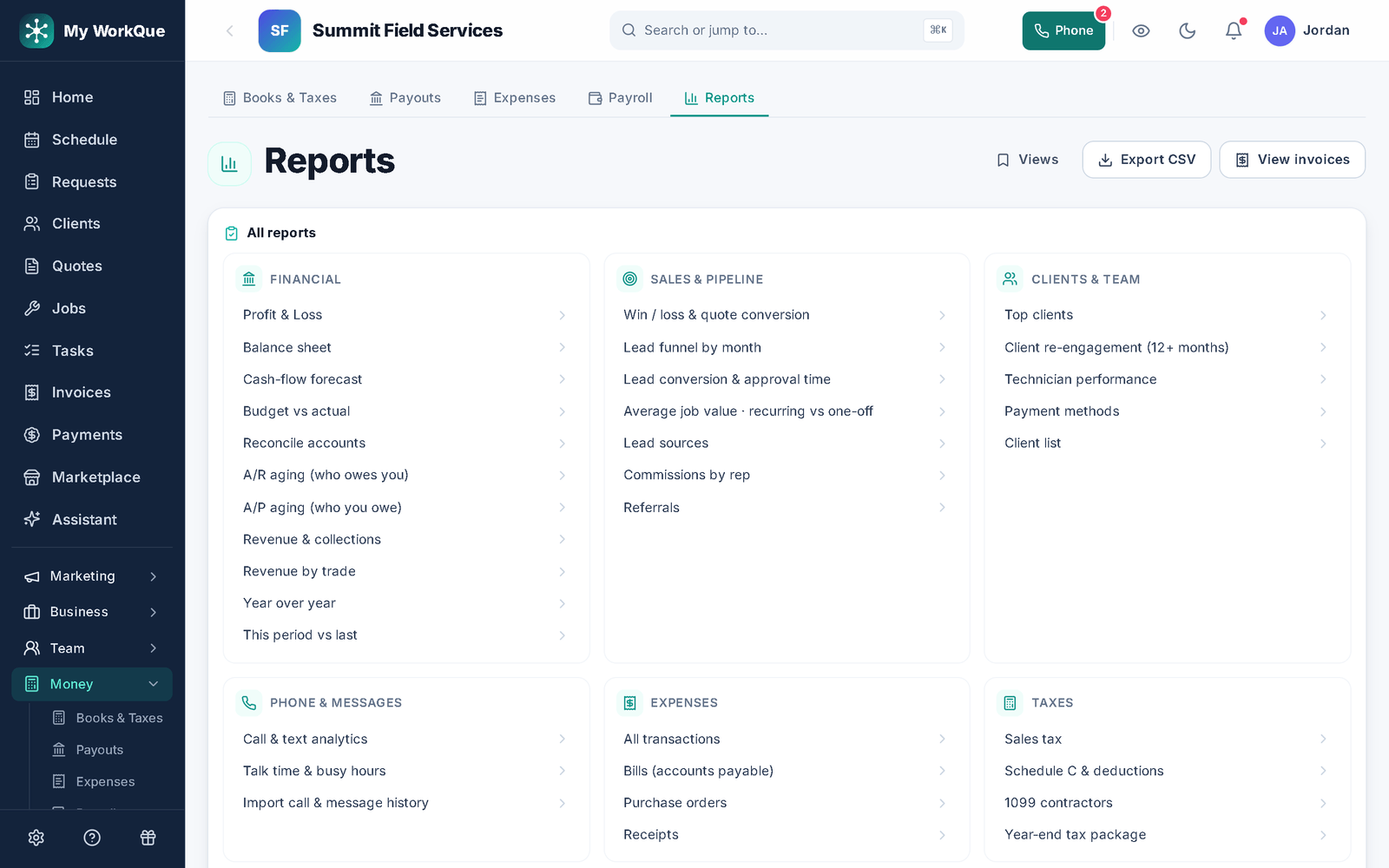
Pick a trigger — quote sent, invoice overdue, job completed — and a sequence of texts, emails and tasks follows, stopping the moment the customer replies or pays. Reports show what was invoiced, collected and still owed, and where the work came from.
- Triggers on quote sent, invoice overdue, job completed and more
- Sequences stop when they reply, pay, book or leave a review
- Collected, outstanding, collection rate, win/loss, lead sources — export to CSV
The rest of the business, same login.
Turn modules on as you need them — your nav only shows what you use.
- InboxCalls, texts, voicemail and email — one thread per customer, on their record.
- Online booking & requestsYour booking page and lead forms feed one requests queue, ready to quote.
- Business phone & call flowsA real business line: texting, voicemail and call forwarding on Pro; in-app calling and hours routing on Business.
- Store, inventory & rentalsSell products, rent equipment with deposits, track stock across trucks.
- Books, tax & payrollP&L, bank feeds, sales tax and pay runs calculated and posted to the books — on the Business plan.
- Marketing & reviewsEmail campaigns and review requests on Pro; ads tracked to invoiced revenue on Business.
- Local leads (coming soon)Homeowner jobs in your area, landing in your queue — on the Business plan, no per-lead fee.
- Team & time clockRoles and permissions, a GPS time clock, and who is on which job.
- Website & formsA site and lead forms that post straight into requests — website builder on Pro and up.
Where we go further — and where we don’t.
Jobber is a strong scheduling-and-invoicing tool. Here is what is different about ours.
The other half of your business
Store, inventory, rentals, books, pay-run calculations, hiring — the parts Jobber leaves to other subscriptions are in the box here. (Payroll here calculates and books the run; filing and direct deposit stay with your bank or payroll service.)
A website that books the job
A built site and form builder are part of the plan — and a visitor's request lands directly as a bookable job, no separate subscription or manual re-entry.
Marketing you can prove, included
Campaigns, social posts and review requests are part of the Pro plan, not a $99-a-month add-on — and on Business every ad click is tracked to a lead, a booked job and invoiced revenue.
Where Jobber is stronger today: route optimization for the day’s visits, consumer financing inside the quote, and years in market. We say so on the comparison page.
Built for the trades. Tuned to yours.
The same system, with the workflows and the words your trade actually uses.
Also: Permanent lighting · Holiday lighting · Lawn care · Landscaping · Cleaning · HVAC · Plumbing · Electrical · Pest control · Painting · Handyman · Pressure washing · Roofing · Window cleaning · General contractor
Three plans. One bill.
Every plan replaces your scheduler, invoicing app and payments provider. Local homeowner leads are coming soon, included on Business.
Every plan starts with a 14-day free trial. Add a payment method to begin — your first charge is on day 15, and canceling during the trial costs nothing.
Fair questions
Is it really all-in-one, or a bundle of add-ons?
One codebase, one login, one bill. Every module reads the same client, job and money records — that is why a won quote can report ad ROI and a finished job becomes the invoice in one tap.
Do I need to install anything?
No installer needed. You get the full app in any browser on your computer. On Android you can install it from Google Play, and on any phone — iPhone included — you can add it to the home screen straight from the browser. Same account, same data, whichever you pick up.
What happens to my existing customers, quotes and inventory?
Imports are free — clients, inventory and history, from spreadsheets or your old apps. Run both in parallel while you switch, and your data stays exportable at all times.
Do you take a cut of my leads?
No per-lead fees, ever. Local leads are coming soon, and they are included on the Business plan.
Do I need a payment method to start?
Yes — adding one is what begins your 14-day free trial, on either monthly or annual billing. Your first charge falls on day 15. Cancel any time during the trial and you pay nothing.
How do I start?
Sign up, add a payment method, and your 14-day free trial begins.
Homeowner? Quotes from vetted local pros — coming soon.
Hire a ProLooking for work? Browse open jobs at local companies.
Find Work
Your whole business.
One app.
Set up in minutes. Bring your clients, quotes and inventory with you — imports included.