One app for the whole business.
Requests, quotes, scheduling, invoicing, payments, books, payroll, marketing and the phone — every piece reads the same client, job and money records, because it is one system.


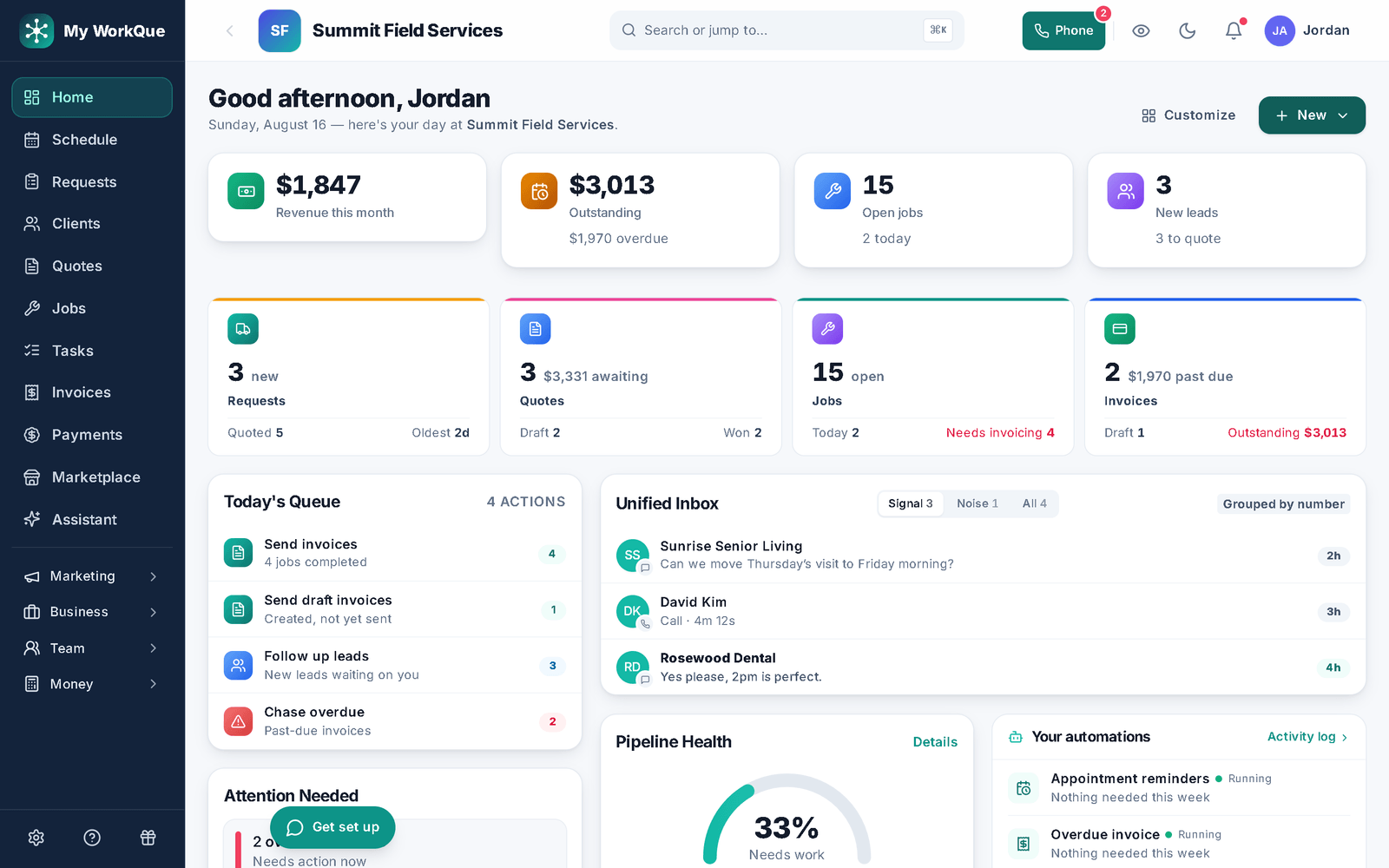
Everything the day throws at you
Twelve modules, one login. Switch any of them on or off — your nav only shows what you use.
- Requests & online bookingBooking page and lead forms land in one queue — local leads coming soon.
- Quotes & comparisonsPhotos, optional lines, deposits, e-sign — or three options in one link.
- Scheduling & dispatchDay, week, month and agenda views, a dispatch board you drag jobs onto, on-my-way texts, recurring visits.
- Invoicing & paymentsInvoice from the job; card online on Stripe; deposits, plans, reminders.
- Client HubA branded page per customer: quotes, invoices, jobs, agreements, pay. Pro and up.
- AutomationsTriggered text, email and task sequences that stop when they reply or pay.
- ReportsCollected, outstanding, win/loss, lead sources, tech performance. CSV export.
- Inbox, phone & call flowsTexts, voicemail and email per customer, with call forwarding on Pro; in-app calls and call routing on Business.
- Store, inventory & rentalsSell products, rent equipment with deposits and an availability calendar, track stock across trucks.
- Books, tax & payrollP&L, bank feeds, sales tax and pay runs calculated and posted to the books, on Business.
- Marketing & reviewsCampaigns, review requests and the website builder on Pro; ads tracked to invoiced revenue on Business.
- Team, time clock & hiringRoles, a GPS time clock, and a job board to hire from.
The job never leaves the system.
A request becomes the quote, the quote becomes the job, the job becomes the invoice — same lines, same discount, same customer.
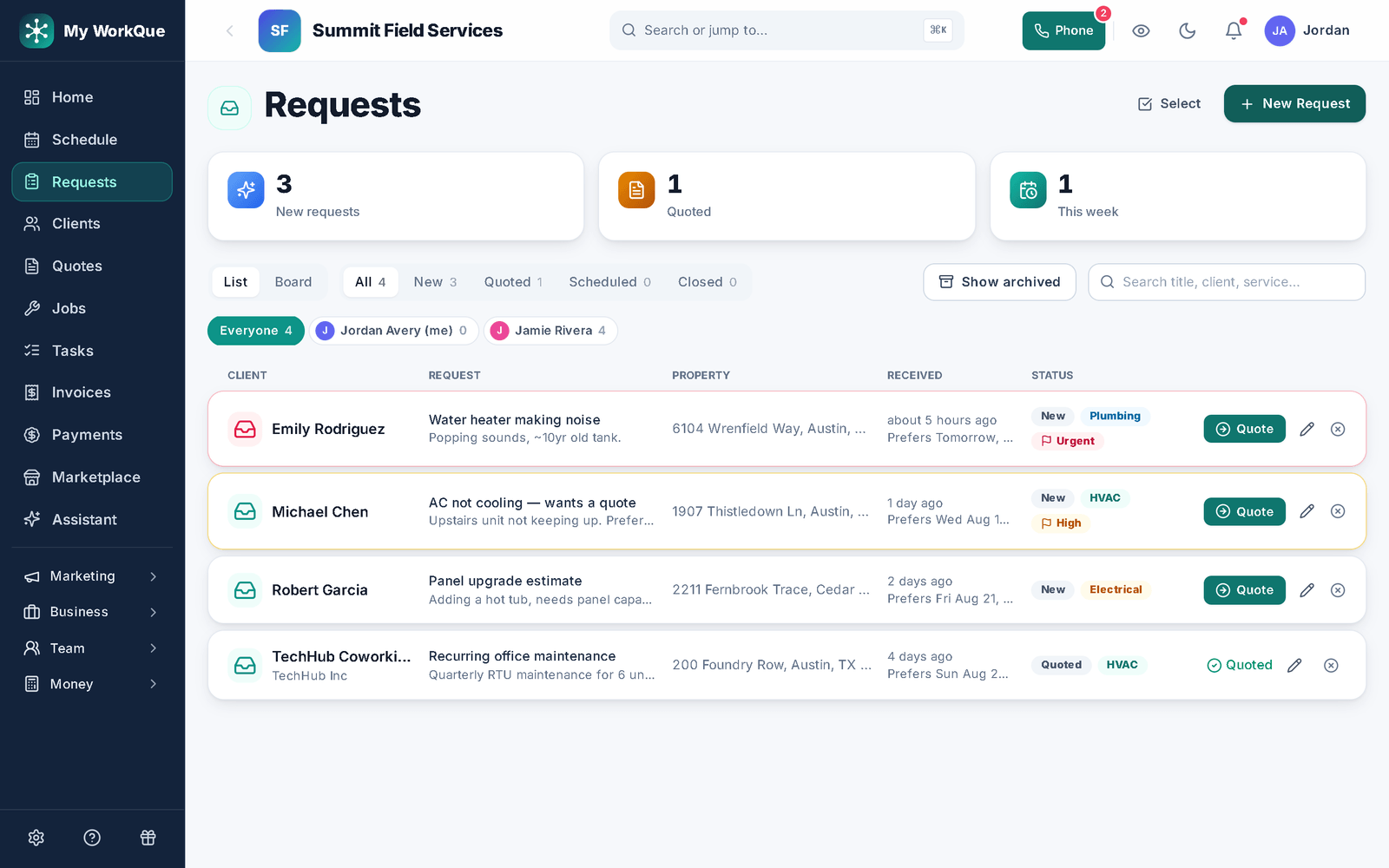
Every way work arrives, one queue.
Your booking page, your website forms, and texts and calls from the inbox all land in Requests — flagged by urgency, ready to quote or schedule in a click. Local homeowner leads join them when Local Leads opens.
- Online booking page and lead forms you build in the app
- Local homeowner leads coming soon on the Business plan — no per-lead fee
- Quote or schedule straight from the request; the record carries through
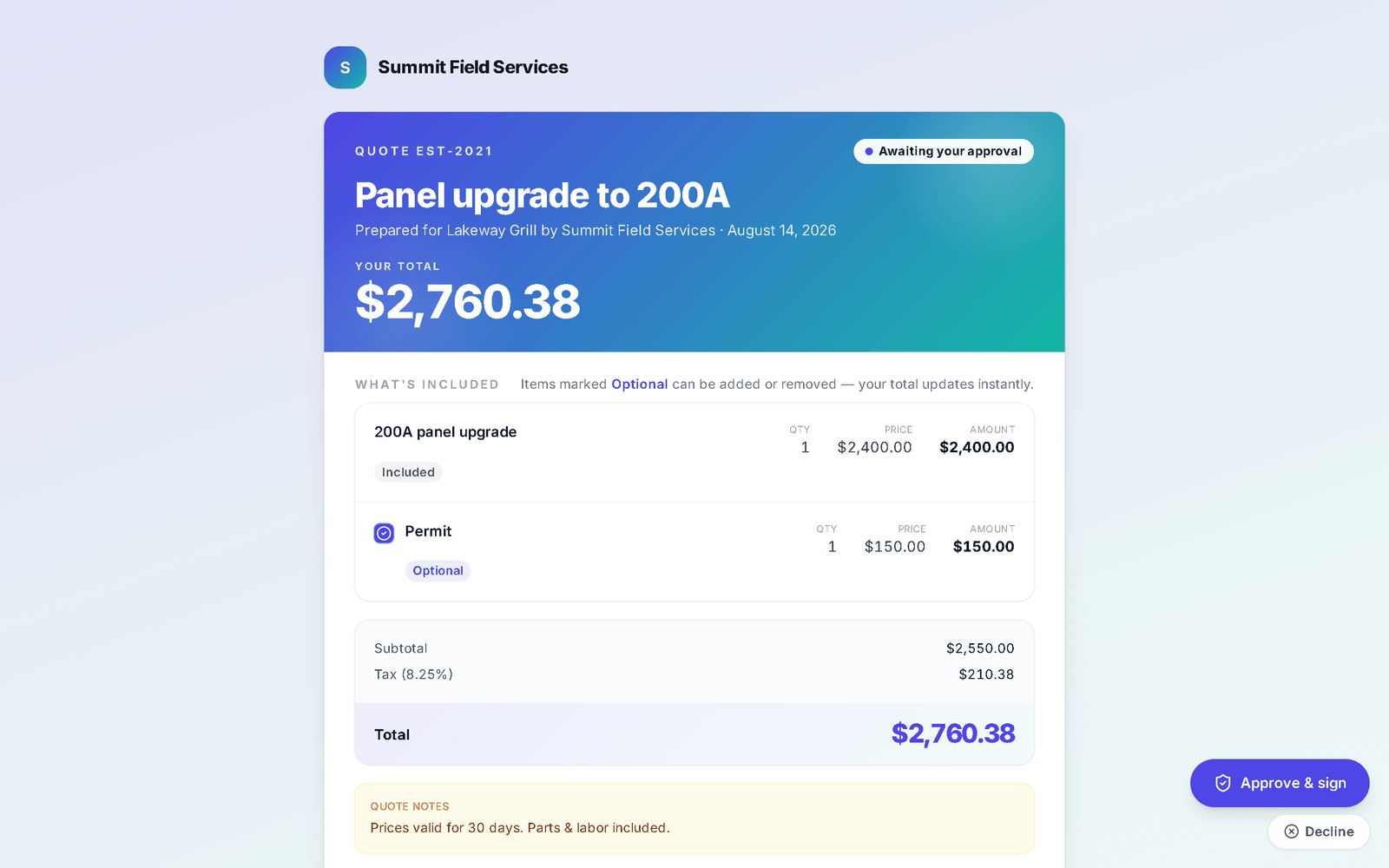
A quote they can approve on their phone.
What the customer opens: your branding, the lines with photos, the optional extras they can toggle, the deposit due, and approve-and-sign at the bottom. You are told when it is opened.
- Branded, itemized, with line-item photos and optional extras
- Approve and e-sign; deposit collected on approval
- You see when it was opened; follow-ups can run on their own
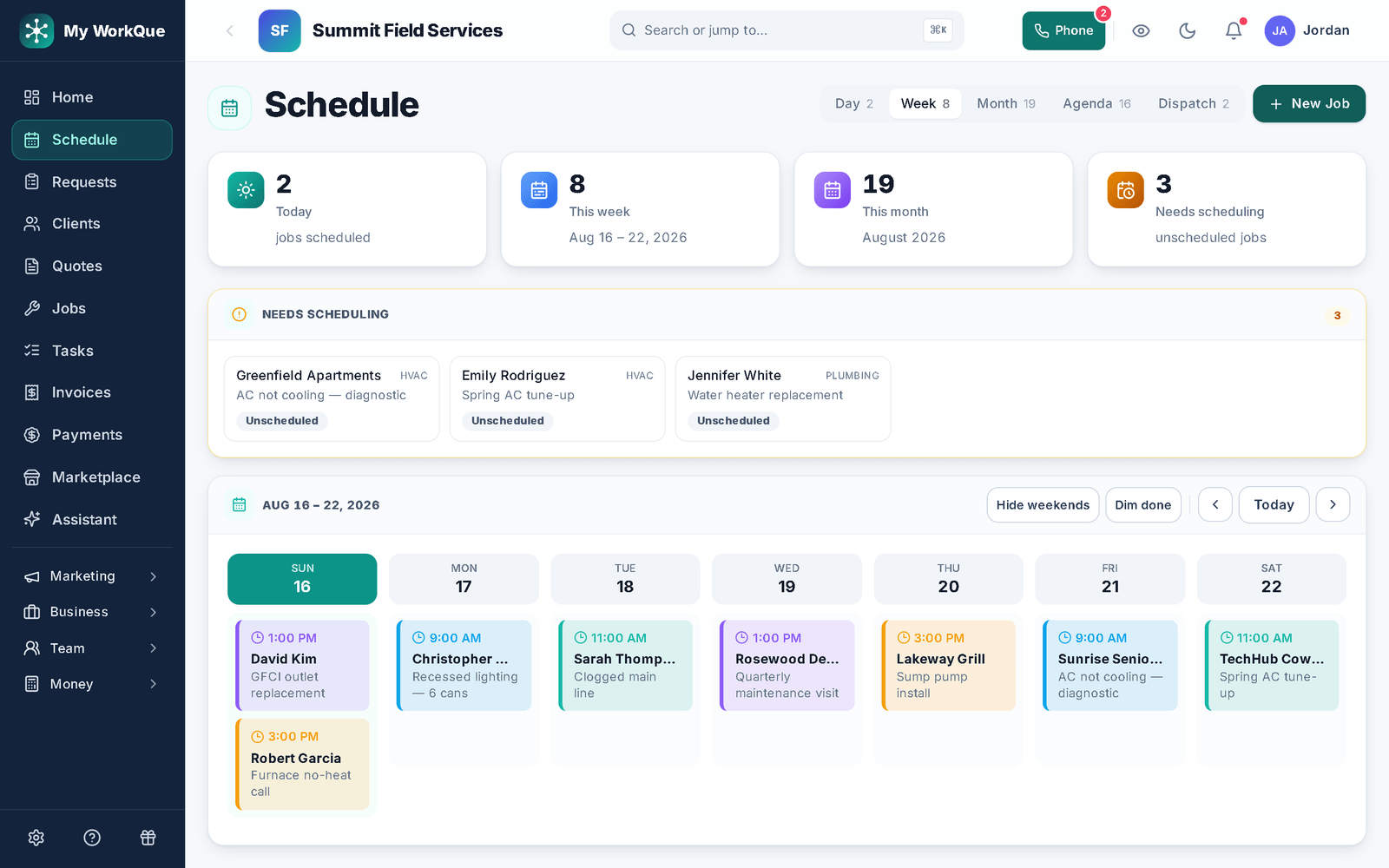
The week, by crew, on one calendar.
Jobs sit on the calendar by day in crew colors, with a Needs scheduling strip for anything without a date. Reassign or reschedule and the crew's phone shows the change; the dispatch board is where you drag a job onto a technician. Recurring visits book themselves.
- Day, week, month and agenda views; the dispatch board to drag and reassign
- A Needs scheduling strip beside the calendar and an Unassigned column on the board
- Recurring visits, GPS time clock, on-my-way texts
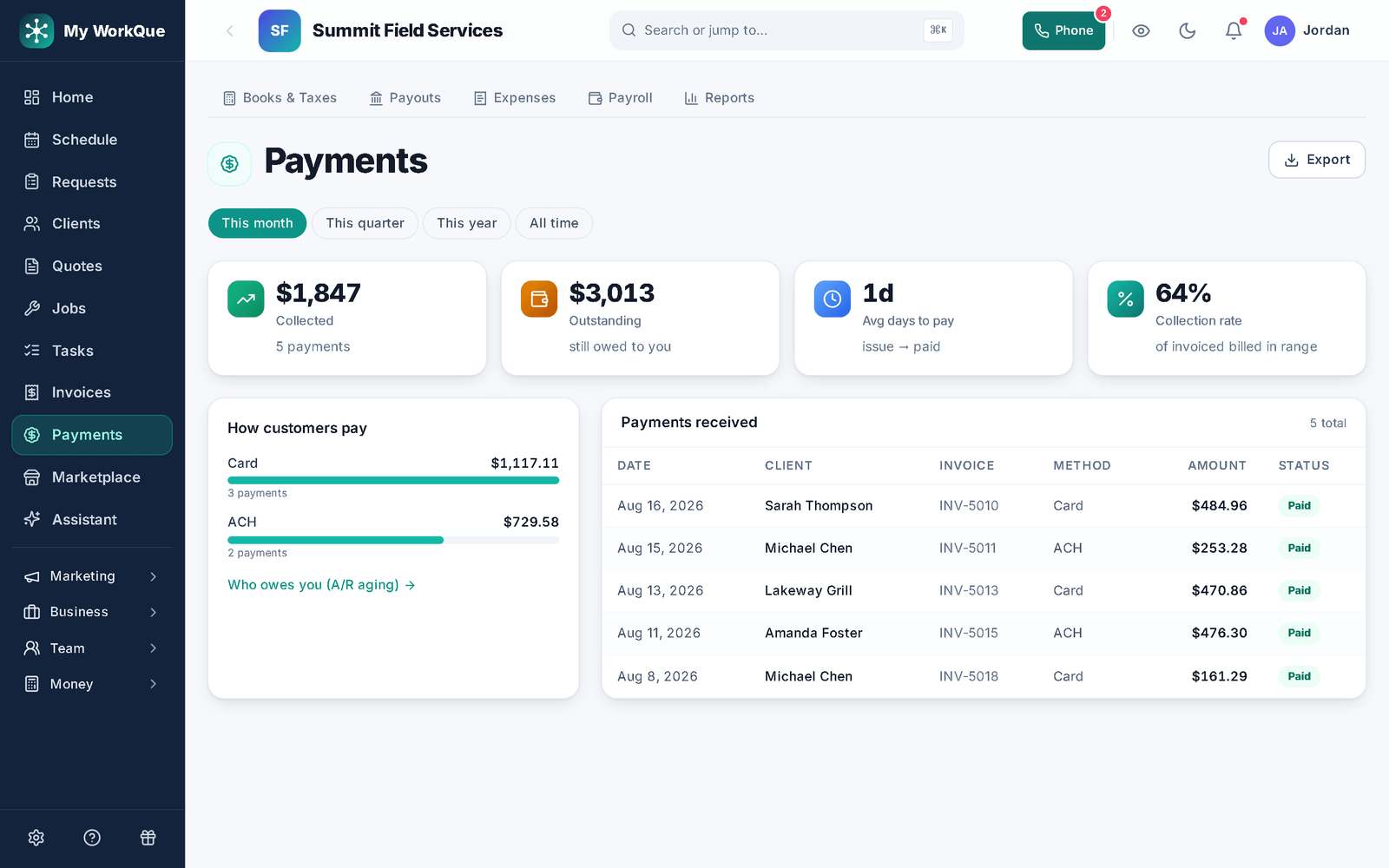
Collected, outstanding, days to pay — at a glance.
Every payment — card, bank transfer, check, cash — lands on the invoice and the customer's record. The payments screen shows what is collected, what is still owed, how fast you get paid and how your customers pay.
- Card online from the invoice link on Stripe; bank transfer, check and cash recorded as they arrive; deposits and part-payments applied
- Payment plans and recurring invoices
- Collection rate and days-to-pay, straight from the platform
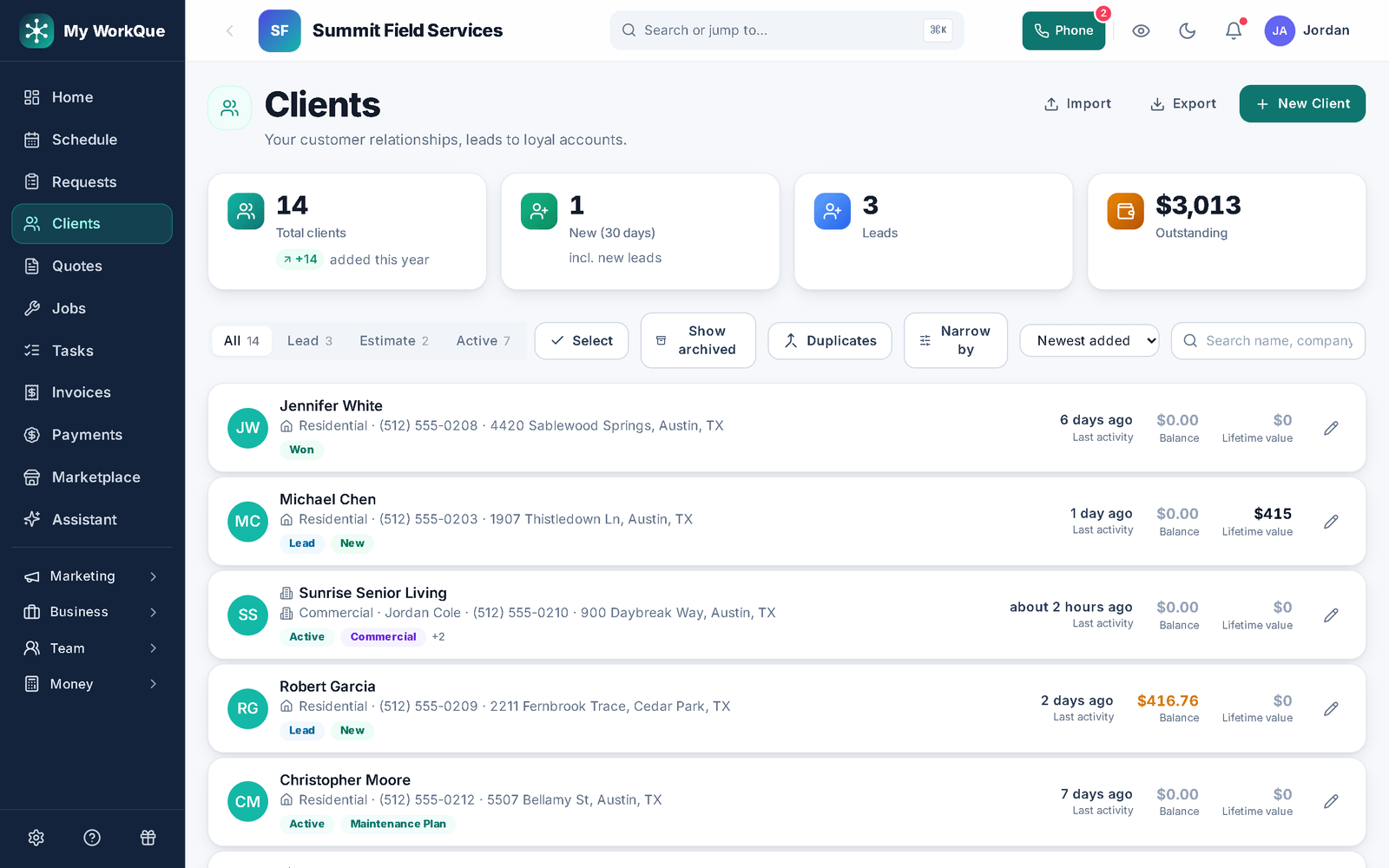
Every customer, the whole history.
Contacts, addresses, tags, notes, every quote, job, invoice, payment and conversation — on one record. Import from a spreadsheet or your old app free; export any time. Each client also gets their own branded Client Hub.
- Free CSV import; export whenever you like
- Tags, sorting and lifetime value on the list
- A branded Client Hub per customer, installable on their phone
Replaces a dozen tools. One login. One bill.
Stop stitching apps together and paying for the seams.

One place for the whole day.
From the first call to the final payment, it stays on the same record — no re-typing it into a second app.
And it will bring you the work
Homeowners post jobs
Real local projects, posted free — matched to your trade and service area.
They land in your queue
Leads will drop straight into Requests, flagged by urgency — no per-lead fees.
Quote, win, get paid
The lead, quote, job, invoice and payment live on one record, start to finish.
Homeowner projects aren't open yet — Hire a Pro is coming soon, and Local Leads opens with it on the Business plan.
Fair questions
Is it really all-in-one, or a bundle of add-ons?
One codebase, one login, one bill. Every module reads the same client, job and money records — that's why a won quote can report ad ROI and a finished job becomes the invoice in one tap.
Can I turn parts of it off?
Yes. Modules toggle on and off per account, so your nav only shows what you use — and you can add modules one at a time as you grow.
What if I already have QuickBooks / Jobber / a website?
Imports are free — clients, inventory and history. Run things in parallel while you switch, and your data stays exportable at all times.
Do you take a cut of my leads?
No per-lead fees. Local leads are coming soon, and they are included on the Business plan.
Do I need to install anything?
No installer needed. You get the full app in any browser on your computer. On Android you can install it from Google Play, and on any phone — iPhone included — you can add it to the home screen straight from the browser. Same account, same data, whichever you pick up.
How do I start?
Sign up, add a payment method, and your 14-day free trial begins.

Run it all in one place.
Sign up, add a payment method, and your 14-day free trial begins.